heylogin - 1-click login
Login to any website with just one click. Use your phone to securely confirm logins - you have full control.
What is heylogin - 1-click login?
heylogin - 1-click login is a Chrome extension developed by https://heylogin.com, and its main feature is "Login to any website with just one click. Use your phone to securely confirm logins - you have full control.".
Extension Screenshots


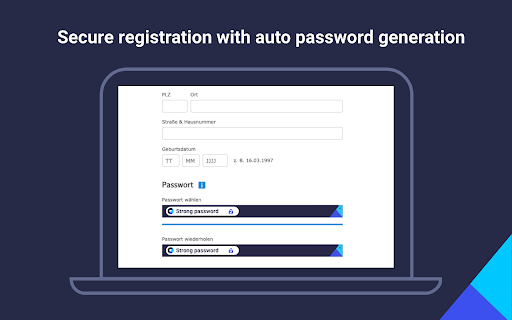

Download heylogin - 1-click login Extension CRX File
Download heylogin - 1-click login extension files in crx format, manually install Chrome extensions in the browser, or share the crx files with friends to easily install Chrome extensions.
Extension Usage Instructions
                        With heylogin you never have to worry about forgetting credentials or resetting passwords ever again! heylogin is a next-generation login experience, going one step further in comparison to traditional password managers.

• 1-click-login for all websites
• Use your phone for everyday logins. PIN, Fingerprint or Face Unlock - you have full control.
• No username. No password. Blazing fast.
• All your logins. Even the one you forgot about years ago.
• Bye password - hey login

You need to install heylogin on Android or iOS to use this extension.
Extension Basic Information
| Name |  heylogin - 1-click login heylogin - 1-click login |
| ID | kghbmcgihmefcbjlfiafjcigdcbmecbf |
| Official URL | https://chromewebstore.google.com/detail/heylogin-1-click-login/kghbmcgihmefcbjlfiafjcigdcbmecbf |
| Description | Login to any website with just one click. Use your phone to securely confirm logins - you have full control. |
| File Size | 15.53 MB |
| Installation Count | 7,348 |
| Current Version | 1.1.0 |
| Last Updated | 2024-02-28 |
| Publish Date | 2021-01-13 |
| Rating | 4.93/5 Total 68 Ratings |
| Developer | https://heylogin.com |
| [email protected] | |
| Payment Type | free |
| Extension Website | https://www.heylogin.com/store/chrome |
| Help Page URL | https://www.heylogin.com/support/chrome |
| Privacy Policy Page URL | https://www.heylogin.com/privacy |
| Supported Languages | de,en |
| manifest.json | |
{
"update_url": "https:\/\/clients2.google.com\/service\/update2\/crx",
"name": "__MSG_extensionName__",
"description": "__MSG_extensionDescription__",
"default_locale": "en",
"version": "1.1.0.5964",
"version_name": "1.1.0",
"manifest_version": 2,
"icons": {
"32": "icons\/icon_32.png",
"48": "icons\/icon_48.png",
"64": "icons\/icon_64.png",
"128": "icons\/icon_128.png"
},
"browser_action": {
"default_title": "heylogin",
"default_popup": "popup.html"
},
"permissions": [
"storage",
"tabs",
"privacy",
" | |