Yondo Screen Sharing
This extension allows a user of Yondo to share their screen during a live video call.
What is Yondo Screen Sharing?
Yondo Screen Sharing is a Chrome extension developed by https://yondo.com, and its main feature is "This extension allows a user of Yondo to share their screen during a live video call.".
Extension Screenshots

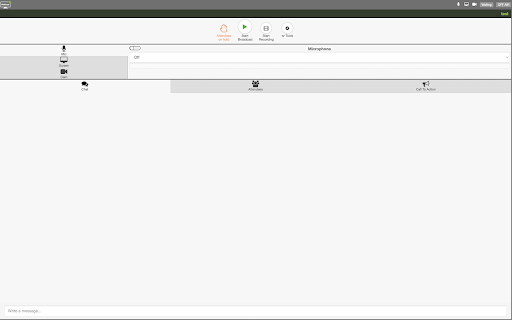
Download Yondo Screen Sharing Extension CRX File
Download Yondo Screen Sharing extension files in crx format, manually install Chrome extensions in the browser, or share the crx files with friends to easily install Chrome extensions.
Extension Usage Instructions
                        This extension allows a user of Yondo to share their screen during a live video call and webinars.
Yondo gives you the ability to show any content to your audience. You can choose whether to share your entire screen or only a single window. You are able to perform screen sharing in both the webinar and 1-to-1 live video sessions.
In order to use the screen sharing functionality in Yondo on Google Chrome, you will need to download this extension to enable this functionality. This way Google Chrome will permit sharing your screen.
If your customers also need to share their screens during your online sessions, please let them know they will need this extension and have them install the extension prior to the session to prevent any disruptions during your Yondo Live 1-to-1 and webinars calls.
Extension Basic Information
| Name |  Yondo Screen Sharing Yondo Screen Sharing |
| ID | knhanngfnlfeflfklpmldgffmhbdbdef |
| Official URL | https://chromewebstore.google.com/detail/yondo-screen-sharing/knhanngfnlfeflfklpmldgffmhbdbdef |
| Description | This extension allows a user of Yondo to share their screen during a live video call. |
| File Size | 9.48 KB |
| Installation Count | 132 |
| Current Version | 0.3 |
| Last Updated | 2022-05-24 |
| Publish Date | 2015-12-10 |
| Rating | 5.00/5 Total 2 Ratings |
| Developer | https://yondo.com |
| [email protected] | |
| Payment Type | free |
| Extension Website | https://www.yondo.com |
| Help Page URL | https://support.yondo.com |
| Privacy Policy Page URL | http://legal.yondo.com/privacypolicy.html |
| Supported Languages | en |
| manifest.json | |
{
    "update_url": "https:\/\/clients2.google.com\/service\/update2\/crx",
    "name": "Yondo Screen Sharing",
    "short_name": "Screen Share",
    "author": "Yondo Pty Ltd",
    "version": "0.3",
    "manifest_version": 2,
    "minimum_chrome_version": "34",
    "description": "This extension allows a user of Yondo to share their screen during a live video call.",
    "homepage_url": "http:\/\/www.yondo.com",
    "background": {
        "scripts": [
            "background-script.js"
        ],
        "persistent": false
    },
    "content_scripts": [
        {
            "js": [
                "content-script.js"
            ],
            "all_frames": true,
            "matches": [
                "https:\/\/*\/*",
                "http:\/\/*\/*"
            ]
        }
    ],
    "icons": {
        "16": "logo16.png",
        "48": "logo48.png",
        "128": "logo128.png"
    },
    "permissions": [
        "desktopCapture"
    ],
    "web_accessible_resources": [
        "icon.png"
    ]
} | |


