Picture Downloader
Picture Downloader. Browse and save - image downloader on webpages.
What is Picture Downloader?
Picture Downloader is a Chrome extension developed by Picture Downloader, and its main feature is "Picture Downloader. Browse and save - image downloader on webpages.".
Extension Screenshots
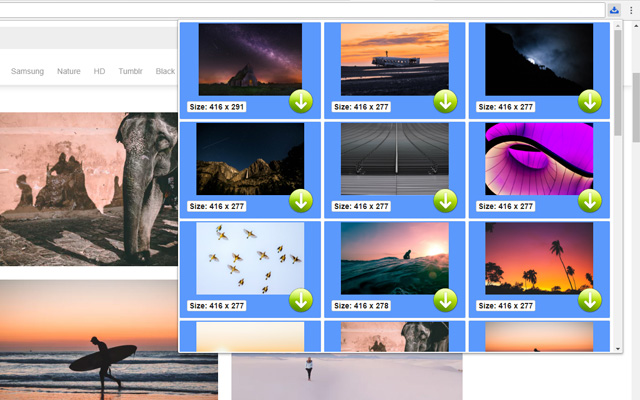
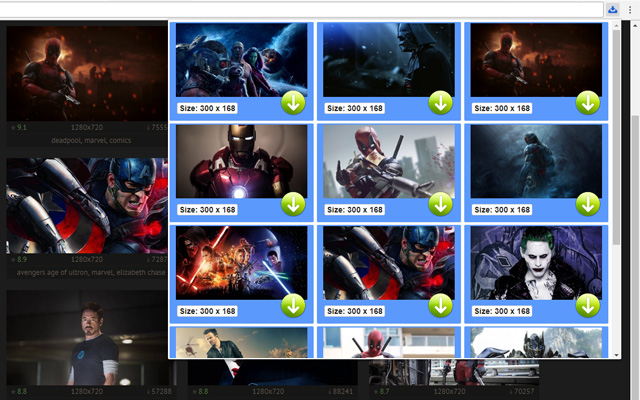

Download Picture Downloader Extension CRX File
Download Picture Downloader extension files in crx format, manually install Chrome extensions in the browser, or share the crx files with friends to easily install Chrome extensions.
Extension Usage Instructions
                        Picture Downloader is useful tool for displaying, browsing and downloading photos from any webpages.

* Finds pictures on any websites.
* The size of each image is displayed.
* Image download to your hard disk.

How it works
************
* Click to the icon on current webpage.
* Here you can start downloading.

Fast and professional Picture Downloader for all users.
Extension Basic Information
| Name |  Picture Downloader Picture Downloader |
| ID | kokbcpaapofnbifgdlmokekjphgdlphp |
| Official URL | https://chrome.google.com/webstore/detail/picture-downloader/kokbcpaapofnbifgdlmokekjphgdlphp |
| Description | Picture Downloader. Browse and save - image downloader on webpages. |
| File Size | 91.22 KB |
| Installation Count | 8,193 |
| Current Version | 1.2.2 |
| Last Updated | 2022-11-27 |
| Publish Date | 2020-03-11 |
| Rating | 2.79/5 Total 29 Ratings |
| Developer | Picture Downloader |
| [email protected] | |
| Payment Type | free |
| Supported Languages | en |
| manifest.json | |
{
"update_url": "https:\/\/clients2.google.com\/service\/update2\/crx",
"version": "1.2.2",
"name": "Picture Downloader",
"description": "Picture Downloader. Browse and save - image downloader on webpages.",
"background": {
"scripts": [
"jquery.js",
"background.js"
]
},
"browser_action": {
"default_icon": "img\/ico_19.png",
"default_popup": "popup.html"
},
"content_security_policy": "script-src 'self'; object-src 'self'",
"icons": {
"128": "img\/ico_128.png",
"16": "img\/ico_16.png",
"48": "img\/ico_48.png"
},
"manifest_version": 2,
"permissions": [
"activeTab",
" | |