Chameleon Builder
Create in-product Experiences (microsurveys, tours, banners, modals etc.) without coding.
What is Chameleon Builder?
Chameleon Builder is a Chrome extension developed by https://trychameleon.com, and its main feature is "Create in-product Experiences (microsurveys, tours, banners, modals etc.) without coding.".
Extension Screenshots
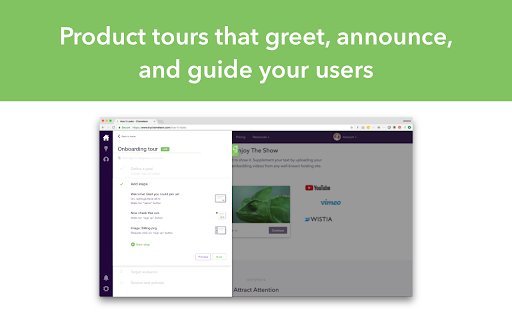
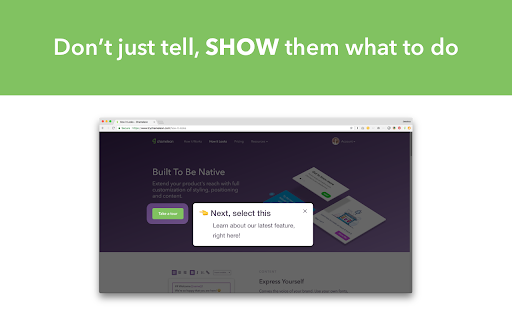

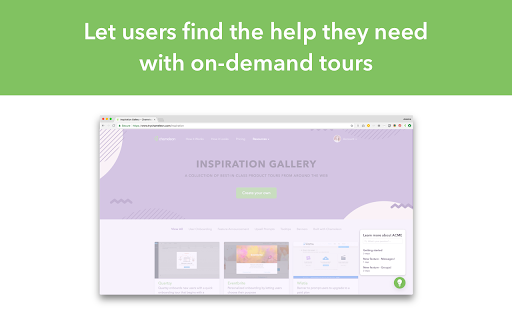

Download Chameleon Builder Extension CRX File
Download Chameleon Builder extension files in crx format, manually install Chrome extensions in the browser, or share the crx files with friends to easily install Chrome extensions.
Extension Usage Instructions
                        Use Chameleon Experiences to:
Collect real-time feedback
Help new users onboard and activate
Convert free triallers to paid
Drive awareness and discovery of new features

This Chrome Extension enables you to use the Chameleon Builder to build and preview Chameleon Experiences.

Learn more about the Extension here: https://help.trychameleon.com/en/articles/1204283-what-does-the-chrome-extension-do
Learn more about Chameleon here: https://www.trychameleon.com
Extension Basic Information
| Name |  Chameleon Builder Chameleon Builder |
| ID | lfckcgkphfglcodbedlpkkkkjicbngpe |
| Official URL | https://chromewebstore.google.com/detail/chameleon-builder/lfckcgkphfglcodbedlpkkkkjicbngpe |
| Description | Create in-product Experiences (microsurveys, tours, banners, modals etc.) without coding. |
| File Size | 360 KB |
| Installation Count | 6,638 |
| Current Version | 3.2.7 |
| Last Updated | 2024-02-01 |
| Publish Date | 2020-01-14 |
| Rating | 4.75/5 Total 12 Ratings |
| Developer | https://trychameleon.com |
| [email protected] | |
| Payment Type | free |
| Extension Website | https://trychameleon.com/ |
| Help Page URL | https://help.trychameleon.com/ |
| Privacy Policy Page URL | https://www.trychameleon.com/privacy |
| Supported Languages | en |
| manifest.json | |
{
    "update_url": "https:\/\/clients2.google.com\/service\/update2\/crx",
    "manifest_version": 2,
    "icons": {
        "128": "images\/icon.png"
    },
    "browser_action": {
        "default_title": "Chameleon Builder",
        "default_icon": "images\/icon.png",
        "default_popup": "html\/popup.html"
    },
    "content_scripts": [
        {
            "matches": [
                "https:\/\/app.chameleon.io\/*",
                "https:\/\/app.trychameleon.com\/*"
            ],
            "js": [
                "js\/content\/app.js"
            ],
            "run_at": "document_start"
        },
        {
            "matches": [
                "https:\/\/*\/*"
            ],
            "js": [
                "js\/content\/end.js"
            ],
            "run_at": "document_end"
        }
    ],
    "background": {
        "scripts": [
            "js\/background.js"
        ],
        "persistent": true
    },
    "externally_connectable": {
        "ids": [],
        "matches": [
            "https:\/\/*.chameleon.io\/*",
            "https:\/\/*.trychameleon.com\/*"
        ]
    },
    "permissions": [
        "https:\/\/*\/*",
        "tabs"
    ],
    "web_accessible_resources": [],
    "content_security_policy": "script-src 'self'; object-src 'self'",
    "name": "Chameleon Builder",
    "short_name": "Chameleon Builder",
    "version": "3.2.7",
    "description": "Create in-product Experiences (microsurveys, tours, banners, modals etc.) without coding."
} | |