HearYe
This addon sends allows you to convert articles to audio.
What is HearYe?
HearYe is a Chrome extension developed by http://hearye.rocks, and its main feature is "This addon sends allows you to convert articles to audio.".
Extension Screenshots
Download HearYe Extension CRX File
Download HearYe extension files in crx format, manually install Chrome extensions in the browser, or share the crx files with friends to easily install Chrome extensions.
Extension Usage Instructions
                        Convert articles to audio!

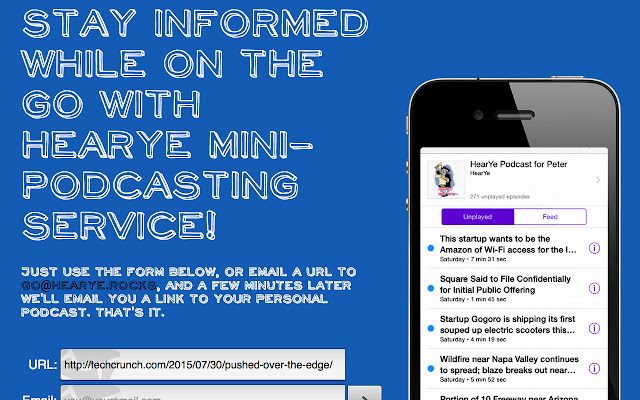
The HearYe mini-podcasting service allows you to bookmark any article on the web and have it converted to audio so you can listen to it at your convenience.

This Chrome Addon makes it super-easy for you.

Use it in one of three ways:
1) go to an article and click the HearYe button,
2) right-click on an article page and click 'Add to HearYe',
3) Alt+ any URL.
Extension Basic Information
| Name |  HearYe HearYe |
| ID | ljfdgimhlhjnnedhpnpbhpkooeocmibk |
| Official URL | https://chrome.google.com/webstore/detail/hearye/ljfdgimhlhjnnedhpnpbhpkooeocmibk |
| Description | This addon sends allows you to convert articles to audio. |
| File Size | 200 KB |
| Installation Count | 13 |
| Current Version | 0.0.8 |
| Last Updated | 2019-01-13 |
| Publish Date | 2019-01-13 |
| Rating | 5.00/5 Total 2 Ratings |
| Developer | http://hearye.rocks |
| [email protected] | |
| Payment Type | free |
| Extension Website | http://hearye.rocks |
| Supported Languages | en |
| manifest.json | |
{
    "default_locale": "en",
    "update_url": "https:\/\/clients2.google.com\/service\/update2\/crx",
    "background": {
        "scripts": [
            "js\/jquery.min.js",
            "js\/translate.js",
            "js\/background.js",
            "js\/notify.js"
        ]
    },
    "content_scripts": [
        {
            "js": [
                "js\/content.js"
            ],
            "css": [
                "css\/bounce.css"
            ],
            "matches": [
                "*:\/\/*\/*"
            ],
            "run_at": "document_idle"
        }
    ],
    "browser_action": {
        "default_title": "img\/icon128.png"
    },
    "icons": {
        "16": "img\/icon16.png",
        "48": "img\/icon48.png",
        "128": "img\/icon128.png"
    },
    "name": "__MSG_name__",
    "short_name": "__MSG_shortname__",
    "description": "__MSG_description__",
    "options_page": "option.html",
    "author": "Paul Lin and Georgiy Velchev and Peter Smith",
    "permissions": [
        "tabs",
        "activeTab",
        "notifications",
        "storage",
        "downloads",
        "contextMenus",
        "*:\/\/*\/*"
    ],
    "version": "0.0.8",
    "manifest_version": 2,
    "web_accessible_resources": [
        "js\/content.js",
        "css\/bounce.css"
    ]
} | |