Site Viewer
Crawl/View a website for Pages, Links, Files and Media.
What is Site Viewer?
Site Viewer is a Chrome extension developed by Randy Bimm [Bimmr], and its main feature is "Crawl/View a website for Pages, Links, Files and Media.".
Extension Screenshots


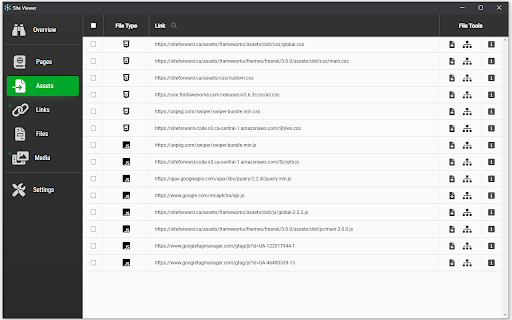

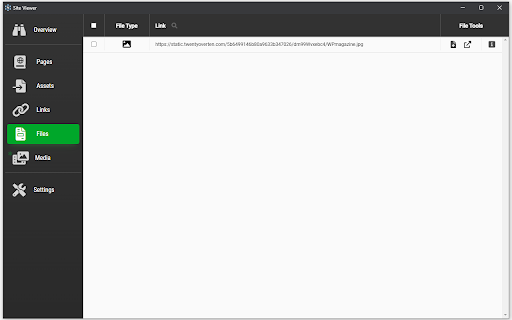

Download Site Viewer Extension CRX File
Download Site Viewer extension files in crx format, manually install Chrome extensions in the browser, or share the crx files with friends to easily install Chrome extensions.
Extension Usage Instructions
                        Crawl and/or view a website's pages, links, assets, files, and media all in one location.

Some additional features:
- Download images and pages with the option of combining the page and all on page scripts, styles, and images into a single html file
- View instances of links, and test to make sure they go to valid pages
- Inspect a single page or the whole website to see what links, assets, and media can be found
Extension Basic Information
| Name |  Site Viewer Site Viewer |
| ID | mdfpgagpgpfpniapmdlomamlkameioom |
| Official URL | https://chromewebstore.google.com/detail/site-viewer/mdfpgagpgpfpniapmdlomamlkameioom |
| Description | Crawl/View a website for Pages, Links, Files and Media. |
| File Size | 34.37 KB |
| Installation Count | 258 |
| Current Version | 0.4.1 |
| Last Updated | 2022-12-20 |
| Publish Date | 2021-11-30 |
| Developer | Randy Bimm [Bimmr] |
| [email protected] | |
| Payment Type | free |
| Supported Languages | en |
| manifest.json | |
{
    "update_url": "https:\/\/clients2.google.com\/service\/update2\/crx",
    "name": "Site Viewer",
    "short_name": "Site Viewer",
    "version": "0.4.1",
    "description": "Crawl\/View a website for Pages, Links, Files and Media.",
    "manifest_version": 3,
    "options_ui": {
        "page": "setup\/options.html",
        "open_in_tab": false
    },
    "background": {
        "service_worker": "setup\/background.js"
    },
    "permissions": [
        "activeTab",
        "storage",
        "downloads"
    ],
    "action": {
        "default_popup": "setup\/popup.html",
        "default_icon": {
            "64": "icons\/icon-64.png",
            "32": "icons\/icon-32.png",
            "16": "icons\/icon-16.png"
        }
    },
    "icons": {
        "64": "icons\/icon-64.png",
        "32": "icons\/icon-32.png",
        "16": "icons\/icon-16.png"
    }
} | |