PEXA Digital Signing for Chrome
Sign PEXA documents
What is PEXA Digital Signing for Chrome?
PEXA Digital Signing for Chrome is a Chrome extension developed by Property Exchange Australia, and its main feature is "Sign PEXA documents".
Extension Screenshots
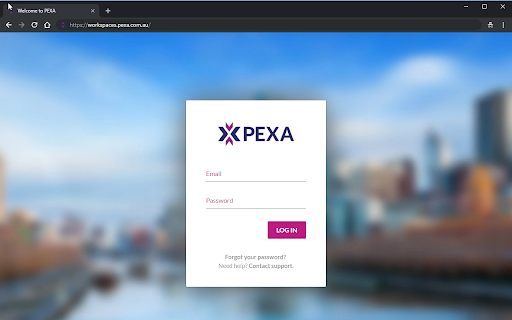
Download PEXA Digital Signing for Chrome Extension CRX File
Download PEXA Digital Signing for Chrome extension files in crx format, manually install Chrome extensions in the browser, or share the crx files with friends to easily install Chrome extensions.
Extension Usage Instructions
                        PEXA provides a simple and secure way to electronically sign documents and financial settlement when using your Chrome browser.

Your Security is important. Digital Certificates use public key cryptographic technology to secure information that passes from one computer to another over a network.
This technology helps to ensure that transacting online is a secure method of information exchange.

Install the PEXA digital signing extension today and eliminate the costs, hassle, and lack of security in paper-based world.

For more information on how we handle your personal information, please refer to PEXA's privacy policy at https://www.pexa.com.au/privacy-policy
Extension Basic Information
| Name |  PEXA Digital Signing for Chrome PEXA Digital Signing for Chrome |
| ID | mehmbceeoajoljjbcodcbjlhmopjmlmf |
| Official URL | https://chromewebstore.google.com/detail/pexa-digital-signing-for/mehmbceeoajoljjbcodcbjlhmopjmlmf |
| Description | Sign PEXA documents |
| File Size | 1.36 MB |
| Installation Count | 35,078 |
| Current Version | 1.0.6.0 |
| Last Updated | 2019-08-14 |
| Publish Date | 2019-08-14 |
| Rating | 5.00/5 Total 2 Ratings |
| Developer | Property Exchange Australia |
| [email protected] | |
| Payment Type | free |
| Extension Website | https://www.pexa.com.au |
| Help Page URL | https://www.pexa.com.au/digicert |
| Supported Languages | en |
| manifest.json | |
{
    "update_url": "https:\/\/clients2.google.com\/service\/update2\/crx",
    "background": {
        "scripts": [
            "scripts\/constants.js",
            "scripts\/background.js"
        ]
    },
    "content_scripts": [
        {
            "js": [
                "scripts\/constants.js",
                "scripts\/content.js"
            ],
            "matches": [
                "*:\/\/*.pexa.net.au\/*",
                "*:\/\/*.pexa.com.au\/*",
                "*:\/\/*.pexalabs.com.au\/*"
            ],
            "run_at": "document_end"
        }
    ],
    "description": "Sign PEXA documents",
    "icons": {
        "128": "images\/icon128.png",
        "48": "images\/icon48.png"
    },
    "manifest_version": 2,
    "key": "MIIBIjANBgkqhkiG9w0BAQEFAAOCAQ8AMIIBCgKCAQEApRQ4qDZ4tYP9cUW7mAbpbw5npclpYcbKczrJlcKhEDgR5dHaw3fIcFj7BUxMV2wQdmR7OoGJA\/I3asKyCgUYE2u8wDLrMogXUtrc\/ljeCvXH8q377HRNJiSEpC\/GyD8kmKNg42lG\/z3QxB9En6uWK4TRtU3IIhPv6JzhS0M2gxhrR6Qqzv2SQeZMzEJcbJNDpjRdJqpfX4guhYH6\/Pw0ldYe6vjtPkGMBPZu7vWIDob5ZLjsOoz2b99IPK1J8tJrThJGpwlkKWB10M92hiYpkuAD6okwjUR1tO52uTSK7552Rn+rwehFW4kpM+cQx9bDN4QkY9iexDZY+I40HQIW6wIDAQAB",
    "minimum_chrome_version": "45.0",
    "name": "PEXA Digital Signing for Chrome",
    "permissions": [
        "nativeMessaging"
    ],
    "version": "1.0.6.0",
    "web_accessible_resources": [
        "scripts\/constants.js"
    ]
} | |