Shop on Amazon.com with LifeMiles
Add the LifeMiles extension to redeem your LifeMiles for products on Amazon.com
What is Shop on Amazon.com with LifeMiles?
Shop on Amazon.com with LifeMiles is a Chrome extension developed by http://lifemilesonlineshopping.com, and its main feature is "Add the LifeMiles extension to redeem your LifeMiles for products on Amazon.com".
Extension Screenshots


Download Shop on Amazon.com with LifeMiles Extension CRX File
Download Shop on Amazon.com with LifeMiles extension files in crx format, manually install Chrome extensions in the browser, or share the crx files with friends to easily install Chrome extensions.
Extension Usage Instructions
                        Redeeming is super easy!

1. Surf on Amazon.com and add all the products you want to your cart.
2. When you’re ready, go to checkout to see the price in miles
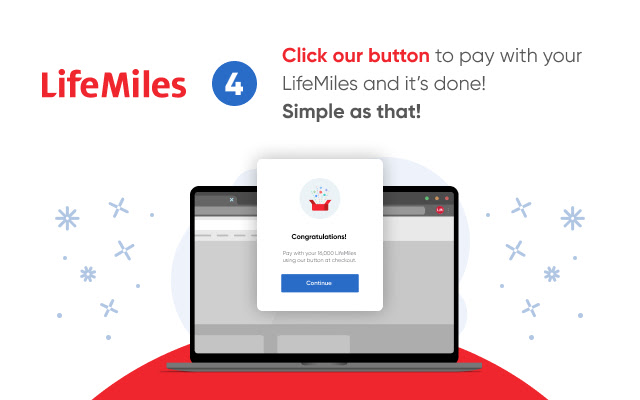
3. All set! Press our payment button and transform your LifeMiles into products.

Also, while you shop in your favorite online stores like Booking, Rental Cars, Hotels.com and many more, the extension lets you know when to activate to “Earn LifeMiles” for each dollar you spend.

When you download and install the LifeMiles button, you’re accepting:

Use license agreement: https://lifemilesonlineshopping.com/c/eula
Terms and conditions:  https://lifemilesonlineshopping.com/c/terms
Privacy policies: https://lifemilesonlineshopping.com/privacy-policy
Extension Basic Information
| Name |  Shop on Amazon.com with LifeMiles Shop on Amazon.com with LifeMiles |
| ID | nhpbecookkacdjfpoiepncmcdjkemobm |
| Official URL | https://chrome.google.com/webstore/detail/compra-en-amazoncom-con-l/nhpbecookkacdjfpoiepncmcdjkemobm |
| Description | Add the LifeMiles extension to redeem your LifeMiles for products on Amazon.com |
| File Size | 2.1 MB |
| Installation Count | 12,379 |
| Current Version | 5.2.4 |
| Last Updated | 2022-08-03 |
| Publish Date | 2020-06-23 |
| Rating | 4.22/5 Total 289 Ratings |
| Developer | http://lifemilesonlineshopping.com |
| [email protected] | |
| Payment Type | free |
| Extension Website | https://www.lifemilesonlineshopping.com |
| Privacy Policy Page URL | https://www.lifemiles.com/privacy-policy |
| Supported Languages | en,es |
| manifest.json | |
{
    "update_url": "https:\/\/clients2.google.com\/service\/update2\/crx",
    "manifest_version": 2,
    "name": "__MSG_extName__",
    "description": "__MSG_extDesc__",
    "homepage_url": "https:\/\/lifemilesonlineshopping.com\/",
    "version": "5.2.4",
    "default_locale": "es",
    "background": {
        "persistent": false,
        "scripts": [
            "static\/js\/runtime.js",
            "static\/js\/background.js"
        ]
    },
    "content_scripts": [
        {
            "css": [
                "static\/css\/content.css"
            ],
            "matches": [
                "*:\/\/www.amazon.com\/*",
                "*:\/\/*.walmart.com\/*",
                "*:\/\/*.aliexpress.com\/*",
                "*:\/\/*.ebay.com\/*",
                "*:\/\/*.whitelabel.lifemiles.com\/*"
            ],
            "js": [
                "static\/js\/runtime.js",
                "static\/js\/content.js"
            ],
            "run_at": "document_start"
        },
        {
            "all_frames": true,
            "matches": [
                "*:\/\/apx-security.amazon.com\/*"
            ],
            "js": [
                "static\/js\/runtime.js",
                "static\/js\/iframe.js"
            ],
            "run_at": "document_end"
        }
    ],
    "icons": {
        "16": "icon-16.png",
        "48": "icon-48.png",
        "128": "icon-128.png"
    },
    "externally_connectable": {
        "matches": [
            "*:\/\/*.lifemilesonlineshopping.com\/*"
        ]
    },
    "web_accessible_resources": [
        "static\/img\/*.png",
        "static\/img\/*.jpg",
        "static\/assets\/*.svg",
        "static\/assets\/*.ttf",
        "static\/assets\/*.woff",
        "static\/assets\/*.woff2",
        "static\/assets\/*.eot",
        "static\/assets\/*.otf",
        "icon-small-128.png",
        "icon-16.png"
    ],
    "permissions": [
        "gcm",
        "notifications",
        "storage",
        "tabs",
        "cookies",
        "*:\/\/*\/*"
    ],
    "browser_action": {
        "default_icon": "icon-grey-128.png",
        "default_popup": "popup.html",
        "default_title": "__MSG_extTitle__"
    },
    "content_security_policy": "script-src 'self' https:\/\/www.google-analytics.com https:\/\/*.lifemilesonlineshopping.com; object-src 'self'"
} | |