Snow
Snowing in the browser
What is Snow?
Snow is a Chrome extension developed by krisztiansala, and its main feature is "Snowing in the browser".
Extension Screenshots

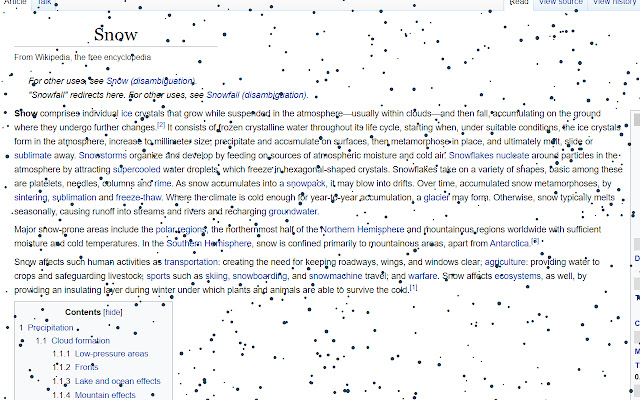


Download Snow Extension CRX File
Download Snow extension files in crx format, manually install Chrome extensions in the browser, or share the crx files with friends to easily install Chrome extensions.
Extension Usage Instructions
                        Creates snowing effect on any website.
You can control the amount of snowflakes, speed, mouse interaction and also the color.
Get a holiday feeling at any time of the year with this relaxing snowfall.
Warning! Too many snowflakes or high speed may cause your browser to slow down, so don't
try the maximum amount at first.
Extension Basic Information
| Name |  Snow Snow |
| ID | oeehhbpmpalolbhkffflikcnfeeflmek |
| Official URL | https://chrome.google.com/webstore/detail/snow/oeehhbpmpalolbhkffflikcnfeeflmek |
| Description | Snowing in the browser |
| File Size | 31.85 KB |
| Installation Count | 273 |
| Current Version | 0.8.0 |
| Last Updated | 2020-02-07 |
| Publish Date | 2020-02-07 |
| Rating | 5.00/5 Total 1 Ratings |
| Developer | krisztiansala |
| Payment Type | free |
| Supported Languages | en-US |
| manifest.json | |
{
"update_url": "https:\/\/clients2.google.com\/service\/update2\/crx",
"manifest_version": 2,
"name": "Snow",
"description": "Snowing in the browser",
"version": "0.8.0",
"browser_action": {
"default_popup": "popup.html",
"default_icon": {
"16": "snow-16.png",
"32": "snow-32.png",
"48": "snow-48.png",
"128": "snow-128.png"
}
},
"content_scripts": [
{
"matches": [
" | |