IP Address Lookup & Domain Whois
Easy and quick way to find out your current IP address.
What is IP Address Lookup & Domain Whois?
IP Address Lookup & Domain Whois is a Chrome extension developed by http://1a.org, and its main feature is "Easy and quick way to find out your current IP address.".
Extension Screenshots

Download IP Address Lookup & Domain Whois Extension CRX File
Download IP Address Lookup & Domain Whois extension files in crx format, manually install Chrome extensions in the browser, or share the crx files with friends to easily install Chrome extensions.
Extension Usage Instructions
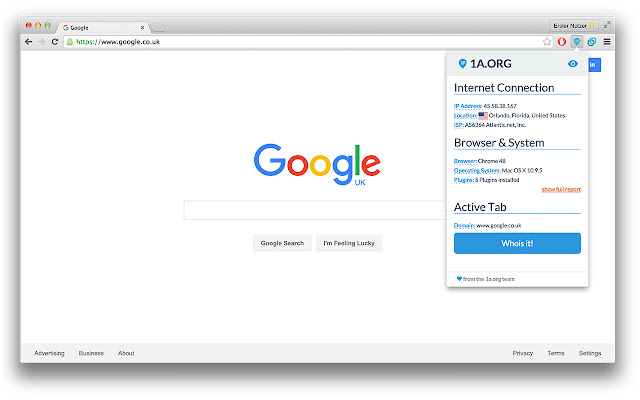
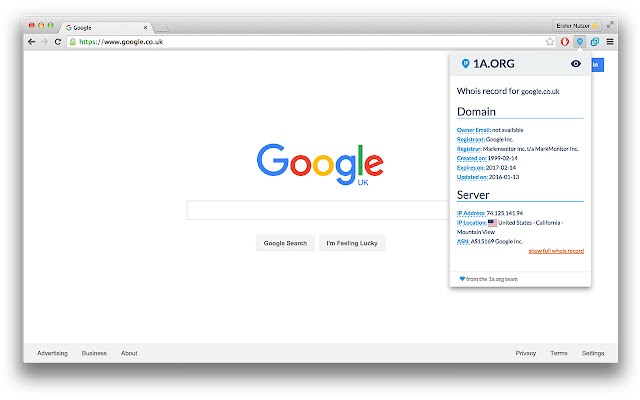
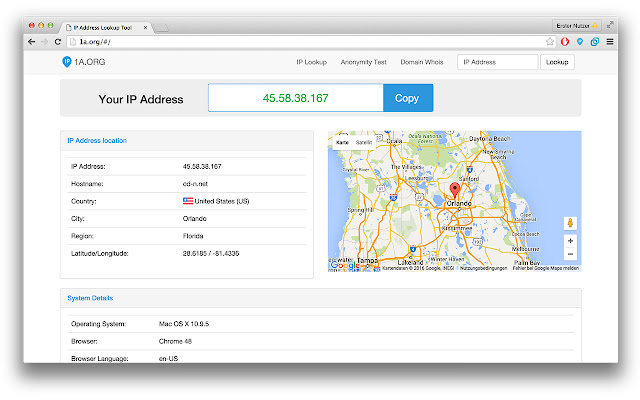
The easiest way to find your IP address! Display your IP address, system information and geo-location easily with 1-click. You can also do a quick whois record lookup on the active tab or any web site you want. It shows you domain information like owner email, registrant, registrar, creation date, expire date, server ip address and server location. Extension Basic Information
| Name |  IP Address Lookup & Domain Whois IP Address Lookup & Domain Whois |
| ID | ononjccmbkfllkjbpfemimejdlgihanj |
| Official URL | https://chrome.google.com/webstore/detail/ip-address-lookup-domain/ononjccmbkfllkjbpfemimejdlgihanj |
| Description | Easy and quick way to find out your current IP address. |
| File Size | 2.52 MB |
| Installation Count | 131 |
| Current Version | 1.0 |
| Last Updated | 2016-02-11 |
| Publish Date | 2016-02-11 |
| Rating | 1.00/5 Total 1 Ratings |
| Developer | http://1a.org |
| Payment Type | free |
| Extension Website | http://1a.org |
| Supported Languages | en |
| manifest.json | |
{
"update_url": "https:\/\/clients2.google.com\/service\/update2\/crx",
"manifest_version": 2,
"name": "IP Address Lookup & Domain Whois",
"description": "Easy and quick way to find out your current IP address.",
"version": "1.0",
"browser_action": {
"default_icon": "images\/1aorg-logo.png",
"default_popup": "index.html"
},
"icons": {
"16": "images\/icon-16.png",
"48": "images\/icon-48.png",
"128": "images\/icon-100.png"
},
"background": {
"scripts": [
"background.js"
]
},
"permissions": [
"tabs",
"webRequest",
"storage",
" | |