诗词成语快查
汉语象形意深,本工具可以快速查询成语、词语、诗词的读音和翻译等,不支持拼音和单个汉字的查询
What is 诗词成语快查?
诗词成语快查 is a Chrome extension developed by sani lax, and its main feature is "汉语象形意深,本工具可以快速查询成语、词语、诗词的读音和翻译等,不支持拼音和单个汉字的查询".
Extension Screenshots
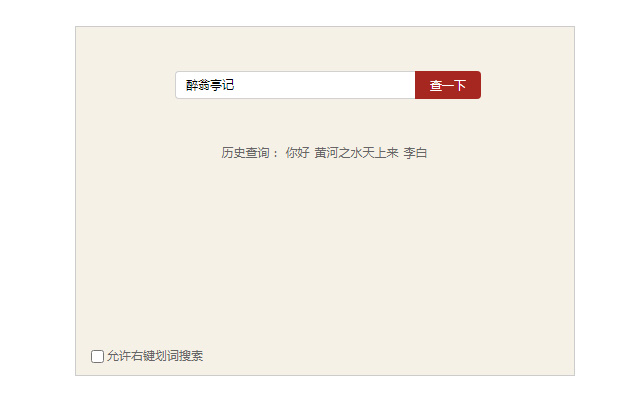


Download 诗词成语快查 Extension CRX File
Download 诗词成语快查 extension files in crx format, manually install Chrome extensions in the browser, or share the crx files with friends to easily install Chrome extensions.
Extension Usage Instructions
可以快速查询成语、词语、诗词的读音和翻译等,不支持拼音和单个汉字的查询 Extension Basic Information
| Name |  诗词成语快查 诗词成语快查 |
| ID | pcjgmfnjafgiejpddlgpicinbnednlen |
| Official URL | https://chrome.google.com/webstore/detail/%E8%AF%97%E8%AF%8D%E6%88%90%E8%AF%AD%E5%BF%AB%E6%9F%A5/pcjgmfnjafgiejpddlgpicinbnednlen |
| Description | 汉语象形意深,本工具可以快速查询成语、词语、诗词的读音和翻译等,不支持拼音和单个汉字的查询 |
| File Size | 60.17 KB |
| Installation Count | 187,606 |
| Current Version | 1.0.5 |
| Last Updated | 2020-08-05 |
| Publish Date | 2020-06-28 |
| Rating | 1.67/5 Total 6 Ratings |
| Developer | sani lax |
| [email protected] | |
| Payment Type | free |
| Supported Languages | zh-CN |
| manifest.json | |
{
"update_url": "https:\/\/clients2.google.com\/service\/update2\/crx",
"manifest_version": 2,
"name": "\u8bd7\u8bcd\u6210\u8bed\u5feb\u67e5",
"description": "\u6c49\u8bed\u8c61\u5f62\u610f\u6df1\uff0c\u672c\u5de5\u5177\u53ef\u4ee5\u5feb\u901f\u67e5\u8be2\u6210\u8bed\u3001\u8bcd\u8bed\u3001\u8bd7\u8bcd\u7684\u8bfb\u97f3\u548c\u7ffb\u8bd1\u7b49\uff0c\u4e0d\u652f\u6301\u62fc\u97f3\u548c\u5355\u4e2a\u6c49\u5b57\u7684\u67e5\u8be2",
"version": "1.0.5",
"icons": {
"128": "img\/logo128.png",
"64": "img\/logo64.png",
"32": "img\/logo32.png"
},
"background": {
"page": "background.html"
},
"content_scripts": [
{
"js": [
"js\/jquery.js"
],
"matches": [
" | |