Electra
This extension will give you details about Electra Currency
Qu'est-ce que Electra ?
Electra est une extension Chrome développée par qlerolland, et sa fonction principale est "This extension will give you details about Electra Currency".
Captures d'Écran de l'Extension


Télécharger le fichier CRX de l'extension Electra
Téléchargez les fichiers d'extension Electra au format crx, installez manuellement les extensions Chrome dans le navigateur ou partagez les fichiers crx avec des amis pour installer facilement les extensions Chrome.
Instructions d'Utilisation de l'Extension
                        - What is Electra

  Electracoin (ECA) is a decentralized POW /POS cryptocurrency which facilitates secure, fast, and extraordinarily low-fee peer to peer transactions.

- What is the purpose of this extension ?

  Statistics: This extension give you the opportunity to follow the evolution of the current price, changes percentage, volume (24h) ...

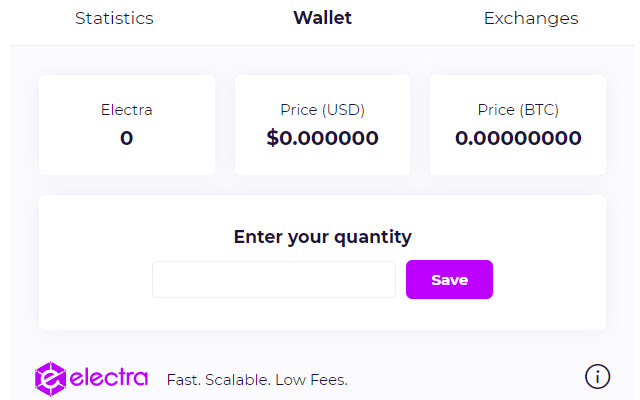
  Wallet: You can use this extension as blockfolio for your electra, just put the amount of electra coin you have, and you will see the current value. (We using cookies to store data in your browser)

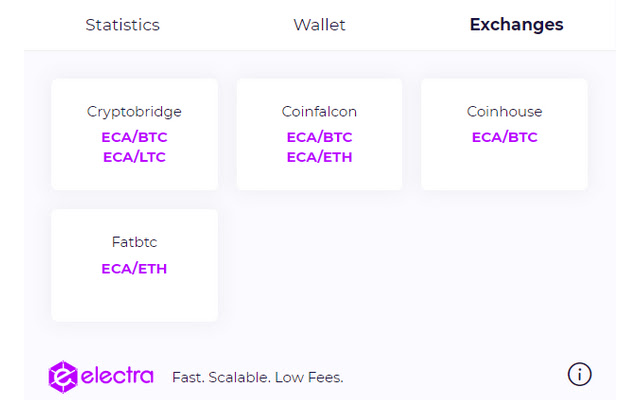
  Exchanges : A list of all exchanges supporting Electra


Any kind of electra donation is appreciated.
Address: EHDJvwF8sNRngn6wkDsgPhnv2ZtqZYA9zY
Informations de Base sur l'Extension
| Nom |  Electra Electra |
| ID | afahbimpallifmmckddfkelmoblfijkd |
| URL Officiel | https://chrome.google.com/webstore/detail/electra/afahbimpallifmmckddfkelmoblfijkd |
| Description | This extension will give you details about Electra Currency |
| Taille du Fichier | 355 KB |
| Nombre d'Installations | 39 |
| Version Actuelle | 1.7 |
| Dernière Mise à Jour | 2019-09-09 |
| Date de Publication | 2019-09-08 |
| Évaluation | 4.88/5 Total 24 Évaluations |
| Développeur | qlerolland |
| Type de Paiement | free |
| Langues Prises en Charge | en |
| manifest.json | |
{
    "update_url": "https:\/\/clients2.google.com\/service\/update2\/crx",
    "manifest_version": 2,
    "name": "Electra",
    "description": "This extension will give you details about Electra Currency",
    "version": "1.7",
    "browser_action": {
        "default_icon": "\/img\/logo.png",
        "default_popup": "popup.html"
    },
    "permissions": [
        "activeTab"
    ],
    "icons": {
        "16": "img\/icon16.png",
        "48": "img\/icon48.png",
        "128": "img\/icon128.png"
    }
} | |