Token signing
Use your eID smart card on the web
Qu'est-ce que Token signing ?
Token signing est une extension Chrome développée par riaee, et sa fonction principale est "Use your eID smart card on the web".
Captures d'Écran de l'Extension
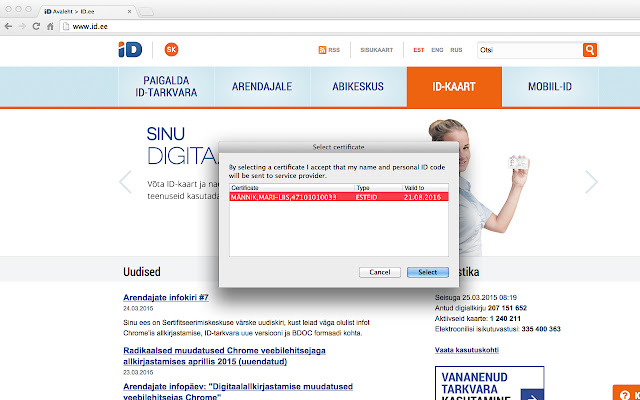
Télécharger le fichier CRX de l'extension Token signing
Téléchargez les fichiers d'extension Token signing au format crx, installez manuellement les extensions Chrome dans le navigateur ou partagez les fichiers crx avec des amis pour installer facilement les extensions Chrome.
Instructions d'Utilisation de l'Extension
                        Active development and management of the Token Signing component have ended due to the transition to the new web authentication and signing solution (Web eID): https://www.id.ee/en/article/the-latest-version-of-the-id-software-includes-an-innovative-web-eid-interface/
Token Signing extension will be removed from the extensions stores on 1st September 2023.
Web eID components are included in the ID-software installation package which can be downloaded from the website www.id.ee.
NB! Please remove Token Signing extension in order for Web eID to work.

For Uninstallation, please follow these instructions https://github.com/open-eid/chrome-token-signing/wiki/Extension-removal.
Informations de Base sur l'Extension
| Nom |  Token signing Token signing |
| ID | ckjefchnfjhjfedoccjbhjpbncimppeg |
| URL Officiel | https://chrome.google.com/webstore/detail/ckjefchnfjhjfedoccjbhjpbncimppeg |
| Description | Use your eID smart card on the web |
| Taille du Fichier | 60.28 KB |
| Nombre d'Installations | 515,219 |
| Version Actuelle | 0.0.33 |
| Dernière Mise à Jour | 2023-08-15 |
| Date de Publication | 2019-07-22 |
| Évaluation | 1.83/5 Total 824 Évaluations |
| Développeur | riaee |
| [email protected] | |
| Type de Paiement | free |
| Site Web de l'Extension | https://www.id.ee/en/ |
| Langues Prises en Charge | en,et,ru |
| manifest.json | |
{
    "update_url": "https:\/\/clients2.google.com\/service\/update2\/crx",
    "name": "Token signing",
    "version": "0.0.33",
    "minimum_chrome_version": "40.0",
    "manifest_version": 2,
    "description": "Use your eID smart card on the web",
    "icons": {
        "48": "icon48.png",
        "128": "icon128.png"
    },
    "default_locale": "en",
    "content_scripts": [
        {
            "matches": [
                "*:\/\/*\/*",
                "file:\/\/\/*"
            ],
            "exclude_matches": [
                "*:\/\/*.overdrive.com\/*",
                "*:\/\/*\/*.svg",
                "https:\/\/ebs.instructure.com\/*"
            ],
            "js": [
                "content.js"
            ],
            "run_at": "document_end",
            "all_frames": true
        }
    ],
    "background": {
        "scripts": [
            "background.js"
        ]
    },
    "permissions": [
        "nativeMessaging"
    ],
    "applications": {
        "gecko": {
            "id": "{443830f0-1fff-4f9a-aa1e-444bafbc7319}"
        }
    }
} | |