MyWeb New Tab
Use one of hundreds of unique new tab page experiences brought to you by Brand Thunder.
Qu'est-ce que MyWeb New Tab ?
MyWeb New Tab est une extension Chrome développée par http://brandthunder.com, et sa fonction principale est "Use one of hundreds of unique new tab page experiences brought to you by Brand Thunder.".
Captures d'Écran de l'Extension


Télécharger le fichier CRX de l'extension MyWeb New Tab
Téléchargez les fichiers d'extension MyWeb New Tab au format crx, installez manuellement les extensions Chrome dans le navigateur ou partagez les fichiers crx avec des amis pour installer facilement les extensions Chrome.
Instructions d'Utilisation de l'Extension
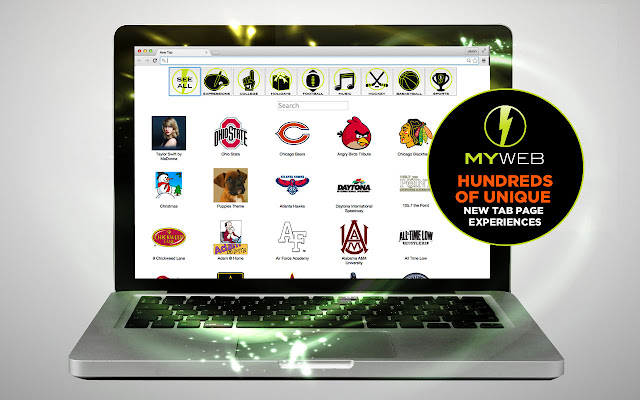
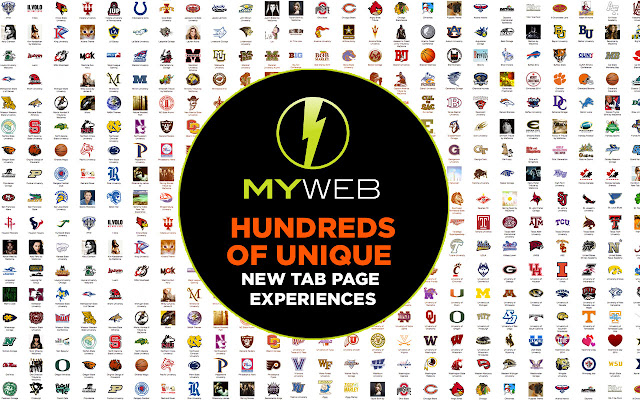
                        *Over 300 new tab experiences to choose from
*One extension, access to HUNDREDS of brands and galleries
*Professional Sports Teams, Colleges, Music Groups, Holidays, and MORE!
*This extension offers direct, convenient web search and features from a New Tab page.

Please Rate Us!  If you feel we don’t deserve a 5-star rating, PLEASE email or call us FIRST! We want to hear from you!
[email protected] or 614.321.9316

***More features to improve the user experience will be coming in the near future!

We are search and ad supported - appreciate your help!

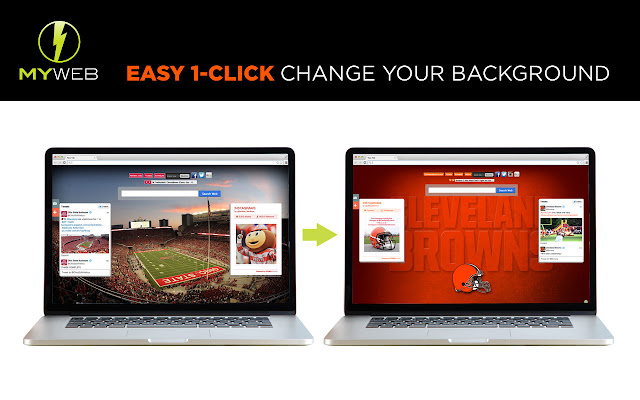
Right click on the extension button and select "Install Theme" to install the theme that corresponds to the new tab experience.
Informations de Base sur l'Extension
| Nom |  MyWeb New Tab MyWeb New Tab |
| ID | cnbiadnhebmicjcbpgajglfemclnlagh |
| URL Officiel | https://chrome.google.com/webstore/detail/myweb-new-tab/cnbiadnhebmicjcbpgajglfemclnlagh |
| Description | Use one of hundreds of unique new tab page experiences brought to you by Brand Thunder. |
| Taille du Fichier | 62.52 KB |
| Nombre d'Installations | 767 |
| Version Actuelle | 1.2 |
| Dernière Mise à Jour | 2020-10-11 |
| Date de Publication | 2016-08-09 |
| Évaluation | 3.99/5 Total 73 Évaluations |
| Développeur | http://brandthunder.com |
| [email protected] | |
| Type de Paiement | free |
| URL de la Page d'Aide | http://support.brandthunder.com |
| URL de la Page de Politique de Confidentialité | http://brandthunder.com/privacy |
| Langues Prises en Charge | en-US |
| manifest.json | |
{
    "update_url": "https:\/\/clients2.google.com\/service\/update2\/crx",
    "manifest_version": 2,
    "name": "MyWeb New Tab",
    "version": "1.2",
    "description": "Use one of hundreds of unique new tab page experiences brought to you by Brand Thunder.",
    "author": "Brand Thunder",
    "icons": {
        "16": "icon16.png",
        "32": "icon32.png",
        "48": "icon48.png",
        "128": "icon128.png"
    },
    "background": {
        "page": "background.html",
        "persistent": true
    },
    "options_ui": {
        "page": "options.html",
        "open_in_tab": true
    },
    "browser_action": {
        "default_icon": {
            "16": "icon16.png",
            "32": "icon32.png"
        },
        "default_title": "MyWeb"
    },
    "content_scripts": [
        {
            "matches": [
                "*:\/\/*.brandthunder.com\/*"
            ],
            "js": [
                "contentscript.js"
            ],
            "run_at": "document_start"
        }
    ],
    "chrome_url_overrides": {
        "newtab": "newtab.html"
    },
    "permissions": [
        "tabs",
        "cookies",
        "storage"
    ],
    "content_security_policy": "script-src 'self' https:\/\/ssl.google-analytics.com; object-src 'self'"
} | |