Headless Recorder
A Chrome extension for recording browser interaction and generating Puppeteer & Playwright scripts
Qu'est-ce que Headless Recorder ?
Headless Recorder est une extension Chrome développée par http://checklyhq.com, et sa fonction principale est "A Chrome extension for recording browser interaction and generating Puppeteer & Playwright scripts".
Captures d'Écran de l'Extension

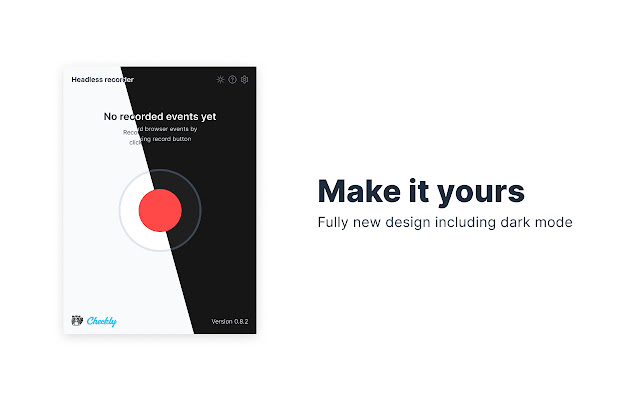


Télécharger le fichier CRX de l'extension Headless Recorder
Téléchargez les fichiers d'extension Headless Recorder au format crx, installez manuellement les extensions Chrome dans le navigateur ou partagez les fichiers crx avec des amis pour installer facilement les extensions Chrome.
Instructions d'Utilisation de l'Extension
                        Headless Recorder is a popular open-source Chrome extension to easily generate Playwright/Puppeteer scripts without coding 🚀

The free extension makes writing Playwright/Puppeteer scripts way easier. It records your browser interactions and auto-generates the code. This is super useful for creating:

👉  E2E test scripts
👉  Web scraping scripts
👉  Synthetic monitoring scripts

Headless Recorder features:
- Record clicks, input events, etc.
- Record screenshots.
- Pause the recording when navigating.
- Identify elements from the overlay.
- Monitor recorded events.
- Export to Puppeteer code or to [Checkly](https://www.checklyhq.com/)
- Tweak the settings of the generated code.
- Light and dark mode

How to use it:
- Click the icon and hit Record.
- Hit TAB after you finish typing in an input element.
- Click links, inputs and other elements.
- Wait for full page load on each navigation.
- Click Pause when you want to navigate without recording anything. Hit Resume to continue recording.

This extension is actively developed. More events and actions will be added in later versions.
check https://checklyhq.com/headless-recorder/. If you have feedback and/or want to contribute have a look at https://github.com/checkly/headless-recorder.
Informations de Base sur l'Extension
| Nom |  Headless Recorder Headless Recorder |
| ID | djeegiggegleadkkbgopoonhjimgehda |
| URL Officiel | https://chrome.google.com/webstore/detail/headless-recorder/djeegiggegleadkkbgopoonhjimgehda |
| Description | A Chrome extension for recording browser interaction and generating Puppeteer & Playwright scripts |
| Taille du Fichier | 1.79 MB |
| Nombre d'Installations | 31,019 |
| Version Actuelle | 1.1.0 |
| Dernière Mise à Jour | 2021-08-25 |
| Date de Publication | 2020-06-11 |
| Évaluation | 4.28/5 Total 40 Évaluations |
| Développeur | http://checklyhq.com |
| [email protected] | |
| Type de Paiement | free |
| Site Web de l'Extension | https://checklyhq.com/headless-recorder |
| URL de la Page d'Aide | https://github.com/checkly/headless-recorder |
| URL de la Page de Politique de Confidentialité | https://github.com/checkly/headless-recorder/blob/master/PRIVACY_POLICY.md |
| Langues Prises en Charge | en |
| manifest.json | |
{
    "update_url": "https:\/\/clients2.google.com\/service\/update2\/crx",
    "name": "Headless Recorder",
    "version": "1.1.0",
    "manifest_version": 2,
    "description": "A Chrome extension for recording browser interaction and generating Puppeteer & Playwright scripts",
    "default_locale": "en",
    "permissions": [
        "storage",
        "webNavigation",
        "activeTab",
        "cookies",
        "*:\/\/*\/"
    ],
    "icons": {
        "16": "icons\/16.png",
        "48": "icons\/48.png",
        "128": "icons\/128.png"
    },
    "content_security_policy": "script-src 'self' ; object-src 'self'",
    "background": {
        "scripts": [
            "js\/background.js"
        ],
        "persistent": false
    },
    "browser_action": {
        "default_popup": "popup.html",
        "default_title": "__MSG_extName__",
        "default_icon": {
            "19": "icons\/19.png",
            "38": "icons\/38.png"
        }
    },
    "options_ui": {
        "page": "options.html",
        "browser_style": true,
        "open_in_tab": true
    },
    "web_accessible_resources": [
        "icons\/dark\/play.svg",
        "icons\/light\/play.svg",
        "icons\/dark\/pause.svg",
        "icons\/light\/pause.svg",
        "icons\/dark\/screen.svg",
        "icons\/light\/screen.svg",
        "icons\/dark\/clip.svg",
        "icons\/light\/clip.svg",
        "icons\/dark\/sync.svg",
        "icons\/light\/sync.svg",
        "icons\/dark\/duplicate.svg",
        "icons\/light\/duplicate.svg"
    ]
} | |