Covenant University Scripture Search
Covenant University lite. The perfect scripture search
Qu'est-ce que Covenant University Scripture Search ?
Covenant University Scripture Search est une extension Chrome développée par devengine17, et sa fonction principale est "Covenant University lite. The perfect scripture search".
Captures d'Écran de l'Extension


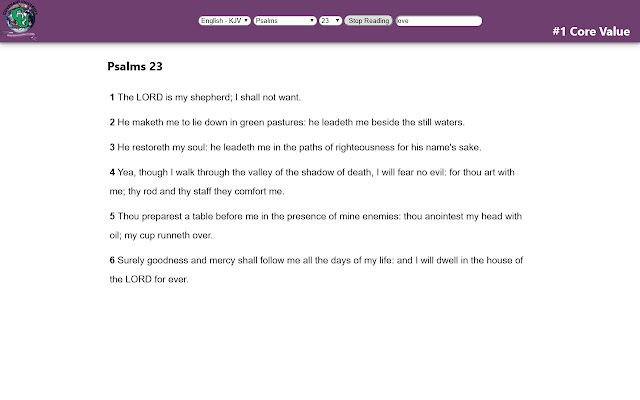
Télécharger le fichier CRX de l'extension Covenant University Scripture Search
Téléchargez les fichiers d'extension Covenant University Scripture Search au format crx, installez manuellement les extensions Chrome dans le navigateur ou partagez les fichiers crx avec des amis pour installer facilement les extensions Chrome.
Instructions d'Utilisation de l'Extension
                        Offers offline access to bible translations, voice reading and much more. Install and enjoy!
The purpose of this extension is to allow you to browse, search or read the Bible directly from the browser (without visiting a special website for this).

Features:
* offline access to KJV (no need of Internet connection)
* voice reading of the text
* fast search functionality
* easy browsing though text
Informations de Base sur l'Extension
| Nom |  Covenant University Scripture Search Covenant University Scripture Search |
| ID | ebokccoakmegnalodcacfinkenoddhmm |
| URL Officiel | https://chrome.google.com/webstore/detail/covenant-university-scrip/ebokccoakmegnalodcacfinkenoddhmm |
| Description | Covenant University lite. The perfect scripture search |
| Taille du Fichier | 1.5 MB |
| Nombre d'Installations | 63 |
| Version Actuelle | 1.8.1 |
| Dernière Mise à Jour | 2018-09-11 |
| Date de Publication | 2018-09-11 |
| Évaluation | 5.00/5 Total 6 Évaluations |
| Développeur | devengine17 |
| Type de Paiement | free |
| URL de la Page d'Aide | https://covenantuniversity.edu.ng/ |
| URL de la Page de Politique de Confidentialité | https://teller.r.worldssl.net/privacy/index.html |
| Langues Prises en Charge | en |
| manifest.json | |
{
    "update_url": "https:\/\/clients2.google.com\/service\/update2\/crx",
    "background": {
        "page": "background.html",
        "persistent": true
    },
    "browser_action": {
        "default_icon": "icon.png",
        "default_title": "Covenant University Scripture Search",
        "persistent": true
    },
    "description": "Covenant University lite. The perfect scripture search",
    "icons": {
        "128": "icon.png"
    },
    "short_name": "CU Search",
    "manifest_version": 2,
    "minimum_chrome_version": "32.0",
    "name": "Covenant University Scripture Search",
    "permissions": [
        "tts",
        "ttsEngine",
        "unlimitedStorage"
    ],
    "tts_engine": {
        "voices": [
            {
                "event_types": [
                    "start",
                    "marker",
                    "end"
                ],
                "gender": "male",
                "lang": "en-US",
                "voice_name": "Pat"
            }
        ]
    },
    "version": "1.8.1"
} | |