Zombies Star War
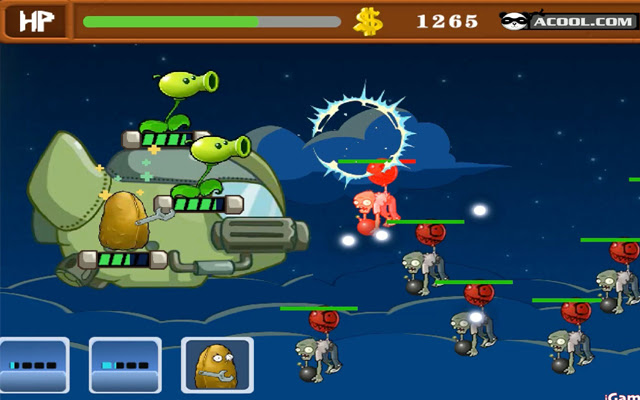
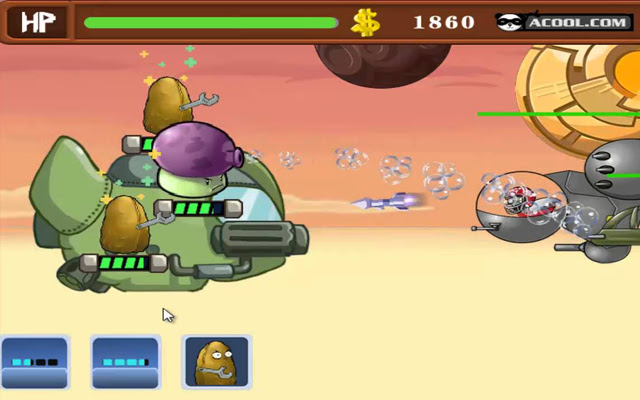
Protect the ship from the attack of the zombies that are coming from balloon to attack the ship.
Qu'est-ce que Zombies Star War ?
Zombies Star War est une extension Chrome développée par totopgamesus, et sa fonction principale est "Protect the ship from the attack of the zombies that are coming from balloon to attack the ship.".
Captures d'Écran de l'Extension

Télécharger le fichier CRX de l'extension Zombies Star War
Téléchargez les fichiers d'extension Zombies Star War au format crx, installez manuellement les extensions Chrome dans le navigateur ou partagez les fichiers crx avec des amis pour installer facilement les extensions Chrome.
Instructions d'Utilisation de l'Extension
The zombies want the plant ship at all costs. Protect the ship from the attack of the zombies that are coming from the balloon to attack the ship. Place the plants in the right positions to defend at all costs to the ship. Informations de Base sur l'Extension
| Nom |  Zombies Star War Zombies Star War |
| ID | fpamnhnpdajnkgfmgpkaacfiakngpleb |
| URL Officiel | https://chrome.google.com/webstore/detail/zombies-star-war/fpamnhnpdajnkgfmgpkaacfiakngpleb |
| Description | Protect the ship from the attack of the zombies that are coming from balloon to attack the ship. |
| Taille du Fichier | 76.05 KB |
| Nombre d'Installations | 82 |
| Version Actuelle | 1.0 |
| Dernière Mise à Jour | 2018-03-04 |
| Date de Publication | 2018-03-04 |
| Évaluation | 1.00/5 Total 1 Évaluations |
| Développeur | totopgamesus |
| Type de Paiement | free |
| Langues Prises en Charge | en |
| manifest.json | |
{
    "update_url": "https:\/\/clients2.google.com\/service\/update2\/crx",
    "manifest_version": 2,
    "name": "Zombies Star War",
    "short_name": "Play Zombies Star War Game",
    "description": "Protect the ship from the attack of the zombies that are coming from balloon to attack the ship.",
    "version": "1.0",
    "browser_action": {
        "default_icon": "zombies-star-war128.png",
        "default_popup": "popup.html"
    },
    "permissions": [
        "activeTab",
        "https:\/\/ajax.googleapis.com\/"
    ]
} | |