PTT Auto Login
Automating the login process for PTT.
Qu'est-ce que PTT Auto Login ?
PTT Auto Login est une extension Chrome développée par Tatsujin Chin, et sa fonction principale est "Automating the login process for PTT.".
Captures d'Écran de l'Extension
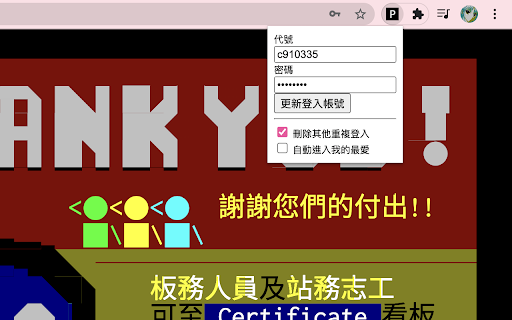
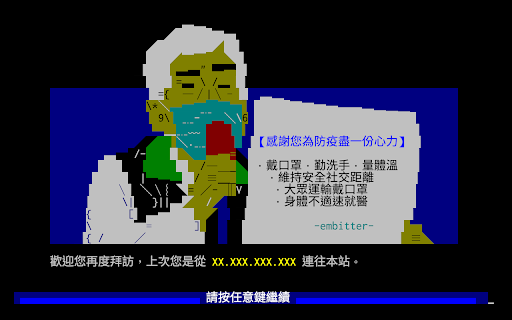
Télécharger le fichier CRX de l'extension PTT Auto Login
Téléchargez les fichiers d'extension PTT Auto Login au format crx, installez manuellement les extensions Chrome dans le navigateur ou partagez les fichiers crx avec des amis pour installer facilement les extensions Chrome.
Instructions d'Utilisation de l'Extension
                        1. 點此擴充功能會開啟 PTT(https://term.ptt.cc)
2. 在 PTT 點此擴充功能即可設定登入代號及密碼
3. 未來在打開 PTT 時就都會自動登入了
4. 可至 chrome://password-manager/passwords 搜尋 term.ptt.cc 以管理密碼
Informations de Base sur l'Extension
| Nom |  PTT Auto Login PTT Auto Login |
| ID | ghaajmaenailmmipaomfgoaemccfadfj |
| URL Officiel | https://chromewebstore.google.com/detail/ptt-auto-login/ghaajmaenailmmipaomfgoaemccfadfj |
| Description | Automating the login process for PTT. |
| Taille du Fichier | 33.09 KB |
| Nombre d'Installations | 2,081 |
| Version Actuelle | 1.4 |
| Dernière Mise à Jour | 2023-12-15 |
| Date de Publication | 2021-10-21 |
| Évaluation | 4.00/5 Total 3 Évaluations |
| Développeur | Tatsujin Chin |
| [email protected] | |
| Type de Paiement | free |
| Site Web de l'Extension | https://github.com/c910335/ptt-chrome-auto-login |
| URL de la Page d'Aide | https://github.com/c910335/ptt-chrome-auto-login/issues |
| Langues Prises en Charge | zh-TW |
| manifest.json | |
{
    "update_url": "https:\/\/clients2.google.com\/service\/update2\/crx",
    "name": "PTT Auto Login",
    "description": "Automating the login process for PTT.",
    "version": "1.4",
    "manifest_version": 3,
    "permissions": [
        "storage"
    ],
    "action": {
        "default_popup": "src\/popup.html",
        "default_icon": {
            "16": "\/icons\/P16.png",
            "32": "\/icons\/P32.png",
            "48": "\/icons\/P48.png",
            "128": "\/icons\/P128.png"
        }
    },
    "content_scripts": [
        {
            "matches": [
                "https:\/\/term.ptt.cc\/*"
            ],
            "js": [
                "src\/content.js"
            ]
        }
    ]
} | |