Speed Dial 3™
Speed Dial 3™ offers speed dial, and quick access to your APPS, bookmarks and history.
Qu'est-ce que Speed Dial 3™ ?
Speed Dial 3™ est une extension Chrome développée par SD3™, et sa fonction principale est "Speed Dial 3™ offers speed dial, and quick access to your APPS, bookmarks and history.".
Captures d'Écran de l'Extension
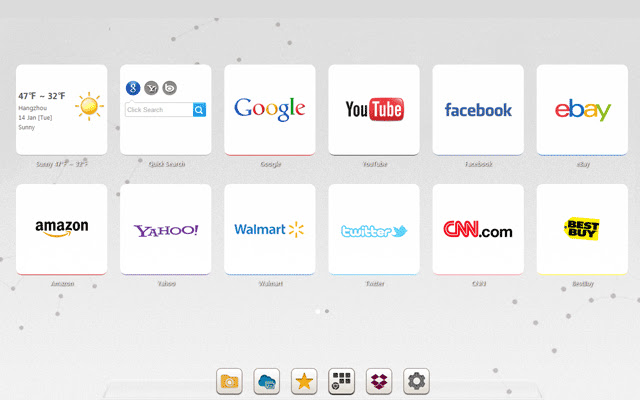

Télécharger le fichier CRX de l'extension Speed Dial 3™
Téléchargez les fichiers d'extension Speed Dial 3™ au format crx, installez manuellement les extensions Chrome dans le navigateur ou partagez les fichiers crx avec des amis pour installer facilement les extensions Chrome.
Instructions d'Utilisation de l'Extension
                        Speed Dial 3™ is an extended application of the Chrome browser which is based on HTML5. It replaces original New tab page. Save your favorite pages in one place with quick access to apps, bookmarks and browsing history.

It provides several features such as custom speed dial(like  count,style,size,opacity,etc), custom themes and background, quick add your common sites and apps, weather, quick search and auto backup data in time.

==============================
Update Log:

Version: 1.7.9 Updated: 2014-12-11
1. Fixed some bugs.

Version: 1.7.8 Updated: 2014-11-20
1. Added Super Discount function (only for chinese language)
2. Fixed some bugs.
Informations de Base sur l'Extension
| Nom |  Speed Dial 3™ Speed Dial 3™ |
| ID | hfgjjcbbihjnpdommbepdkpfnkkapnbh |
| URL Officiel | https://chrome.google.com/webstore/detail/speed-dial-3/hfgjjcbbihjnpdommbepdkpfnkkapnbh |
| Description | Speed Dial 3™ offers speed dial, and quick access to your APPS, bookmarks and history. |
| Taille du Fichier | 294 KB |
| Nombre d'Installations | 40,000 |
| Version Actuelle | 1.7.9 |
| Dernière Mise à Jour | 2014-12-10 |
| Date de Publication | 2014-12-10 |
| Évaluation | 3.53/5 Total 637 Évaluations |
| Développeur | SD3™ |
| Type de Paiement | free |
| Langues Prises en Charge | de,en,fr,es,es-419,pt-BR,pt-PT,ru,zh-CN,zh-TW,ja |
| manifest.json | |
{
    "background": {
        "scripts": [
            "js\/background.js"
        ]
    },
    "name": "__MSG_chrome_extension_name__",
    "short_name": "__MSG_chrome_extension_short_name__",
    "description": "__MSG_chrome_extension_description__",
    "version": "1.7.9",
    "browser_action": {
        "default_icon": "img\/icon_16.png",
        "default_popup": "pop.html"
    },
    "icons": {
        "16": "img\/icon_16.png",
        "128": "img\/icon_128.png"
    },
    "chrome_url_overrides": {
        "newtab": "index.html"
    },
    "update_url": "http:\/\/clients2.google.com\/service\/update2\/crx",
    "default_locale": "en",
    "options_page": "index.html#setting",
    "permissions": [
        "management",
        "history",
        "chrome:\/\/favicon\/",
        "bookmarks",
        "tabs",
        "http:\/\/*\/*",
        "https:\/\/*\/*",
        "contextMenus",
        "notifications",
        "topSites",
        "unlimitedStorage"
    ],
    "web_accessible_resources": [
        "background.html",
        "pop.html",
        "redirect.html",
        "index.html"
    ],
    "content_security_policy": "script-src 'self'; object-src 'self';",
    "manifest_version": 2
} | |


![Speed Dial [FVD] - New Tab Page, 3D, Sync...](https://lh3.googleusercontent.com/w3K2CDl4n-0LZVksR5dwGR4Su5USBhNXQQc1-1isyFxaaGGsja7_8_NntP_Gy5bu6gzLS3Kv0pHRM13ZmohkLTAOn4w)