PackageTrack - Package Tracker
Track all of your packages in one place, with PackageTrack.
Qu'est-ce que PackageTrack - Package Tracker ?
PackageTrack - Package Tracker est une extension Chrome développée par http://packagetrack.com, et sa fonction principale est "Track all of your packages in one place, with PackageTrack.".
Captures d'Écran de l'Extension
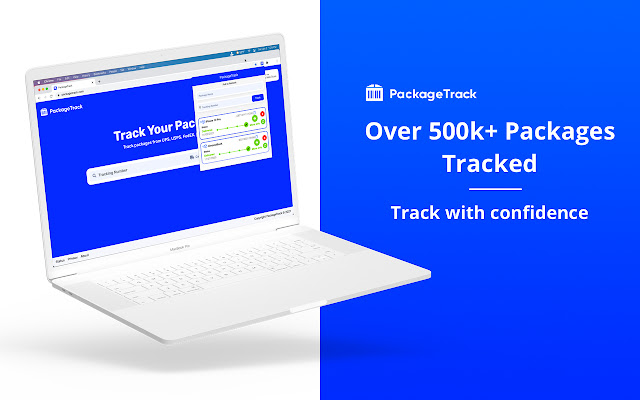


Télécharger le fichier CRX de l'extension PackageTrack - Package Tracker
Téléchargez les fichiers d'extension PackageTrack - Package Tracker au format crx, installez manuellement les extensions Chrome dans le navigateur ou partagez les fichiers crx avec des amis pour installer facilement les extensions Chrome.
Instructions d'Utilisation de l'Extension
                        When it comes to Package Tracking, PackageTrack for Chrome delivers an unrivaled experience.

Boasting an incredibly simple & easy to use interface, you can track packages, parcels and shipments from some of the most popular shipping carriers available.

Never miss a package and always know where your delivery is at. PackageTrack intelligently talks to all your favorite shipping carriers & shipment providers, pinpointing exactly where your package is. Then seemingly effortlessly, returns the result to you, to give you that enhanced package tracking experience.

PackageTrack, the all in one package tracker, embodies a rich & beautiful package tracking experience no matter what carrier you use.

We’ve even added the option to right click anywhere in your browser to add a package to PackageTrack.

PackageTrack comes from people who share that excitement & thrill when receiving packages. We wanted to make that experience of knowing exactly where your package is profoundly better. We absolutely love Package Tracking.

PackageTrack Feature List:
-	Connects to 20+ Different Package Carriers
-	Packages & Parcels Auto Update Several times a day
-       Easily rename Packages
-       Drag & Drop Packages
-       Add packages from any website with a Right Click
-	Simple & Easy Extension Interface
-       Notification of Package & Shipment Deliveries
-	No Logins for our Extension
-	Minimal Ads
-	Direct integration with PackageTrack.com

PackageTrack is the best Package Tracking Extension on the Chrome Webstore! We Find your Packages.
Informations de Base sur l'Extension
| Nom |  PackageTrack - Package Tracker PackageTrack - Package Tracker |
| ID | hoipjclokbelgffomjhhiflphegpmlpe |
| URL Officiel | https://chrome.google.com/webstore/detail/packagetrack-package-trac/hoipjclokbelgffomjhhiflphegpmlpe |
| Description | Track all of your packages in one place, with PackageTrack. |
| Taille du Fichier | 379 KB |
| Nombre d'Installations | 10,000 |
| Version Actuelle | 6.0.3 |
| Dernière Mise à Jour | 2021-02-16 |
| Date de Publication | 2020-06-30 |
| Évaluation | 3.86/5 Total 42 Évaluations |
| Développeur | http://packagetrack.com |
| [email protected] | |
| Type de Paiement | free |
| Site Web de l'Extension | https://packagetrack.com |
| URL de la Page d'Aide | https://packagetrack.com/about/ |
| URL de la Page de Politique de Confidentialité | https://fivebrackets.com/privacy |
| Langues Prises en Charge | de,en,fr,nl,vi,tr,es,it,pt-BR,sv,ru,hi,bn,zh-CN,zh-TW,ja,ko |
| manifest.json | |
{
    "update_url": "https:\/\/clients2.google.com\/service\/update2\/crx",
    "name": "__MSG_extensionName__",
    "version": "6.0.3",
    "manifest_version": 2,
    "short_name": "__MSG_extensionShortName__",
    "description": "__MSG_extensionDescription__",
    "background": {
        "scripts": [
            "js\/jquery.min.js",
            "js\/background.js"
        ]
    },
    "permissions": [
        "cookies",
        "storage",
        "notifications",
        "tabs",
        "activeTab",
        "contextMenus"
    ],
    "icons": {
        "16": "icons\/icon.png",
        "48": "icons\/icon.png",
        "128": "icons\/icon.png"
    },
    "default_locale": "en",
    "browser_action": {
        "default_icon": "icons\/icon.png",
        "default_popup": "browser_action\/popup.html"
    },
    "web_accessible_resources": [
        "icons\/icon.png",
        "browser_action\/popup.html"
    ]
} | |