Volt Wallet
Volt Wallet
Qu'est-ce que Volt Wallet ?
Volt Wallet est une extension Chrome développée par Volt.id, et sa fonction principale est "Volt Wallet".
Captures d'Écran de l'Extension


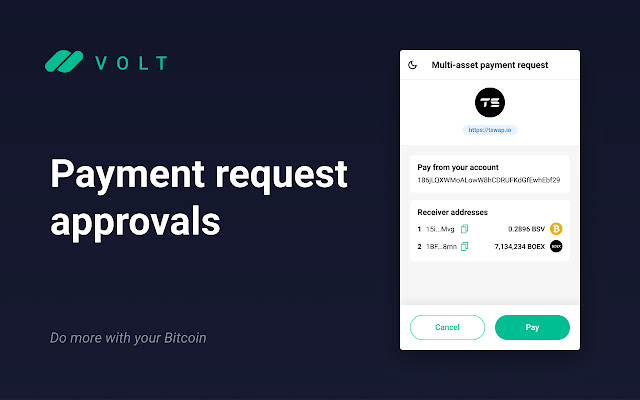

Télécharger le fichier CRX de l'extension Volt Wallet
Téléchargez les fichiers d'extension Volt Wallet au format crx, installez manuellement les extensions Chrome dans le navigateur ou partagez les fichiers crx avec des amis pour installer facilement les extensions Chrome.
Instructions d'Utilisation de l'Extension
                        Bitcoin wallet and BFI(Bitcoin Finance) portal
Volt is a Bitcoin and multi-chain crypto wallet in your Browser
Volt is an extension for reading from and writing to Bitcoin blockchain!
Scan QR code with Volt mobile App to connect with extention wallet in a simple and secure way.

Volt is also the first wallet that supports interacting with BFI(called 'DeFi' by the wider crypto community) on Bitcoin

Volt also lets the user create and manage their own identities and application connection,  when a third party app requires the user to approve permission, the user is presented an interface to review permisssions and transaction, before approving or rejecting it.

Volt nables access to:
Web 3.0, Bitcoin Dapps, Bitcoin NFTs, STP(Sensible Token Protocol) tokens.
Informations de Base sur l'Extension
| Nom |  Volt Wallet Volt Wallet |
| ID | nefphheeepefieolhnenmbfmoppchgdg |
| URL Officiel | https://chrome.google.com/webstore/detail/volt-wallet/nefphheeepefieolhnenmbfmoppchgdg |
| Description | Volt Wallet |
| Taille du Fichier | 4.07 MB |
| Nombre d'Installations | 813 |
| Version Actuelle | 2.2.5 |
| Dernière Mise à Jour | 2022-06-15 |
| Date de Publication | 2022-01-10 |
| Évaluation | 5.00/5 Total 3 Évaluations |
| Développeur | Volt.id |
| [email protected] | |
| Type de Paiement | free |
| Site Web de l'Extension | https://www.volt.id |
| URL de la Page d'Aide | https://www.volt.id |
| URL de la Page de Politique de Confidentialité | https://volt.id |
| Langues Prises en Charge | en,zh-CN |
| manifest.json | |
{
    "update_url": "https:\/\/clients2.google.com\/service\/update2\/crx",
    "manifest_version": 2,
    "name": "Volt Wallet",
    "version": "2.2.5",
    "homepage_url": "https:\/\/volt.id",
    "description": "Volt Wallet",
    "default_locale": "en",
    "content_security_policy": "script-src 'self' 'unsafe-eval'; object-src 'self'",
    "permissions": [
        "storage",
        "tabs"
    ],
    "icons": {
        "48": ".\/dist\/assets\/50.png",
        "128": ".\/dist\/assets\/150.png"
    },
    "background": {
        "scripts": [
            "dist\/background.js"
        ],
        "persistent": true
    },
    "content_scripts": [
        {
            "matches": [
                "http:\/\/*\/*",
                "https:\/\/*\/*"
            ],
            "js": [
                "dist\/content.js"
            ],
            "run_at": "document_start",
            "all_frames": true
        }
    ],
    "web_accessible_resources": [
        "dist\/script.js"
    ],
    "browser_action": {
        "default_popup": ".\/index.html",
        "default_title": "Volt Wallet",
        "default_icon": {
            "48": ".\/dist\/assets\/50.png"
        }
    }
} | |