Shop on Amazon.com with LifeMiles
Add the LifeMiles extension to redeem your LifeMiles for products on Amazon.com
Qu'est-ce que Shop on Amazon.com with LifeMiles ?
Shop on Amazon.com with LifeMiles est une extension Chrome développée par http://lifemilesonlineshopping.com, et sa fonction principale est "Add the LifeMiles extension to redeem your LifeMiles for products on Amazon.com".
Captures d'Écran de l'Extension


Télécharger le fichier CRX de l'extension Shop on Amazon.com with LifeMiles
Téléchargez les fichiers d'extension Shop on Amazon.com with LifeMiles au format crx, installez manuellement les extensions Chrome dans le navigateur ou partagez les fichiers crx avec des amis pour installer facilement les extensions Chrome.
Instructions d'Utilisation de l'Extension
                        Redeeming is super easy!

1. Surf on Amazon.com and add all the products you want to your cart.
2. When you’re ready, go to checkout to see the price in miles
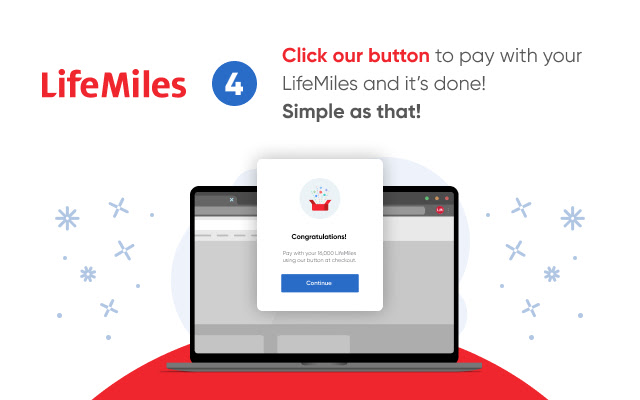
3. All set! Press our payment button and transform your LifeMiles into products.

Also, while you shop in your favorite online stores like Booking, Rental Cars, Hotels.com and many more, the extension lets you know when to activate to “Earn LifeMiles” for each dollar you spend.

When you download and install the LifeMiles button, you’re accepting:

Use license agreement: https://lifemilesonlineshopping.com/c/eula
Terms and conditions:  https://lifemilesonlineshopping.com/c/terms
Privacy policies: https://lifemilesonlineshopping.com/privacy-policy
Informations de Base sur l'Extension
| Nom |  Shop on Amazon.com with LifeMiles Shop on Amazon.com with LifeMiles |
| ID | nhpbecookkacdjfpoiepncmcdjkemobm |
| URL Officiel | https://chrome.google.com/webstore/detail/compra-en-amazoncom-con-l/nhpbecookkacdjfpoiepncmcdjkemobm |
| Description | Add the LifeMiles extension to redeem your LifeMiles for products on Amazon.com |
| Taille du Fichier | 2.1 MB |
| Nombre d'Installations | 12,379 |
| Version Actuelle | 5.2.4 |
| Dernière Mise à Jour | 2022-08-03 |
| Date de Publication | 2020-06-23 |
| Évaluation | 4.22/5 Total 289 Évaluations |
| Développeur | http://lifemilesonlineshopping.com |
| [email protected] | |
| Type de Paiement | free |
| Site Web de l'Extension | https://www.lifemilesonlineshopping.com |
| URL de la Page de Politique de Confidentialité | https://www.lifemiles.com/privacy-policy |
| Langues Prises en Charge | en,es |
| manifest.json | |
{
    "update_url": "https:\/\/clients2.google.com\/service\/update2\/crx",
    "manifest_version": 2,
    "name": "__MSG_extName__",
    "description": "__MSG_extDesc__",
    "homepage_url": "https:\/\/lifemilesonlineshopping.com\/",
    "version": "5.2.4",
    "default_locale": "es",
    "background": {
        "persistent": false,
        "scripts": [
            "static\/js\/runtime.js",
            "static\/js\/background.js"
        ]
    },
    "content_scripts": [
        {
            "css": [
                "static\/css\/content.css"
            ],
            "matches": [
                "*:\/\/www.amazon.com\/*",
                "*:\/\/*.walmart.com\/*",
                "*:\/\/*.aliexpress.com\/*",
                "*:\/\/*.ebay.com\/*",
                "*:\/\/*.whitelabel.lifemiles.com\/*"
            ],
            "js": [
                "static\/js\/runtime.js",
                "static\/js\/content.js"
            ],
            "run_at": "document_start"
        },
        {
            "all_frames": true,
            "matches": [
                "*:\/\/apx-security.amazon.com\/*"
            ],
            "js": [
                "static\/js\/runtime.js",
                "static\/js\/iframe.js"
            ],
            "run_at": "document_end"
        }
    ],
    "icons": {
        "16": "icon-16.png",
        "48": "icon-48.png",
        "128": "icon-128.png"
    },
    "externally_connectable": {
        "matches": [
            "*:\/\/*.lifemilesonlineshopping.com\/*"
        ]
    },
    "web_accessible_resources": [
        "static\/img\/*.png",
        "static\/img\/*.jpg",
        "static\/assets\/*.svg",
        "static\/assets\/*.ttf",
        "static\/assets\/*.woff",
        "static\/assets\/*.woff2",
        "static\/assets\/*.eot",
        "static\/assets\/*.otf",
        "icon-small-128.png",
        "icon-16.png"
    ],
    "permissions": [
        "gcm",
        "notifications",
        "storage",
        "tabs",
        "cookies",
        "*:\/\/*\/*"
    ],
    "browser_action": {
        "default_icon": "icon-grey-128.png",
        "default_popup": "popup.html",
        "default_title": "__MSG_extTitle__"
    },
    "content_security_policy": "script-src 'self' https:\/\/www.google-analytics.com https:\/\/*.lifemilesonlineshopping.com; object-src 'self'"
} | |