U History
Save & Read Chrome History on Your Google Drive
Qu'est-ce que U History ?
U History est une extension Chrome développée par Pike96, et sa fonction principale est "Save & Read Chrome History on Your Google Drive".
Captures d'Écran de l'Extension



Télécharger le fichier CRX de l'extension U History
Téléchargez les fichiers d'extension U History au format crx, installez manuellement les extensions Chrome dans le navigateur ou partagez les fichiers crx avec des amis pour installer facilement les extensions Chrome.
Instructions d'Utilisation de l'Extension
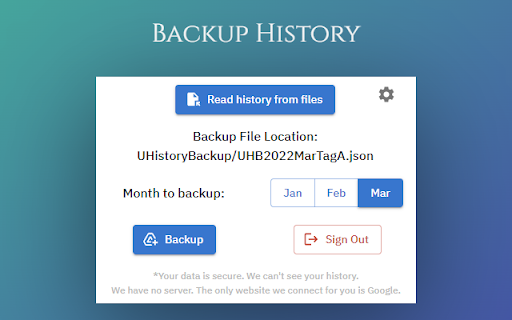
                        - Backup selected month browsing history to your Google Drive.

- Automatically backup last month history in background once authorized.

- Read saved history on Goolge Drive.
Informations de Base sur l'Extension
| Nom |  U History U History |
| ID | nkokmdpokpgocgabofnpkandjgchljgf |
| URL Officiel | https://chromewebstore.google.com/detail/u-history/nkokmdpokpgocgabofnpkandjgchljgf |
| Description | Save & Read Chrome History on Your Google Drive |
| Taille du Fichier | 517 KB |
| Nombre d'Installations | 379 |
| Version Actuelle | 1.1.0 |
| Dernière Mise à Jour | 2022-06-08 |
| Date de Publication | 2019-10-07 |
| Évaluation | 3.67/5 Total 6 Évaluations |
| Développeur | Pike96 |
| [email protected] | |
| Type de Paiement | free |
| Site Web de l'Extension | https://github.com/Pike96/UHistory |
| URL de la Page d'Aide | https://github.com/Pike96/UHistory/issues |
| URL de la Page de Politique de Confidentialité | https://www.freeprivacypolicy.com/live/11ae14f5-4764-4c54-996b-bc318c673362 |
| Langues Prises en Charge | en-US |
| manifest.json | |
{
    "update_url": "https:\/\/clients2.google.com\/service\/update2\/crx",
    "manifest_version": 3,
    "name": "U History",
    "description": "Save & Read Chrome History on Your Google Drive",
    "version": "1.1.0",
    "options_ui": {
        "page": "options.html"
    },
    "icons": {
        "16": "img\/icon16.png",
        "48": "img\/icon48.png",
        "128": "img\/icon128.png"
    },
    "action": {
        "default_popup": "popup.html"
    },
    "background": {
        "service_worker": "js\/background.js"
    },
    "permissions": [
        "history",
        "identity",
        "storage"
    ],
    "oauth2": {
        "client_id": "445850840649-0uncfbdu7foj97slpoonrc56nv205dpa.apps.googleusercontent.com",
        "scopes": [
            "https:\/\/www.googleapis.com\/auth\/drive.file"
        ]
    },
    "key": "MIIBIjANBgkqhkiG9w0BAQEFAAOCAQ8AMIIBCgKCAQEAvnQv8WfCcS0XIWG2oNLHdJBIPH5QvHsXEeeiAwSbTE\/Leh\/DsfHdpevD\/mwFR55kJRZ4drP\/GX\/ikIkYZDlsEQ06uTPlsuDA2j\/gaDDf+ZblhQpaOgeTbq7yO201kIpmu+u\/JsrO7KB3c0q7y8Y+q\/N8xLZC6ZjkpygBcs5y\/J\/SPQSPeR5sXOqPBVpKMqiVPZRsSUq95g0\/w7\/eU+ajMDBxJlVkw8OkpA9nRap506FPQeBp2eZXUlENHbt3QKsz5kmsQU2oUhJ+7VWsa1Sw0PTY3GxdNF1k58yCYLe+c4MU2D64yn15FQ3Sa712UZT0Tvel+AhrdYjoB3fJ2PFECwIDAQAB",
    "host_permissions": [
        "https:\/\/accounts.google.com\/*",
        "https:\/\/www.googleapis.com\/*"
    ]
} | |