Easy New Tab
New tab page with beautiful background and without distracting things
Qu'est-ce que Easy New Tab ?
Easy New Tab est une extension Chrome développée par C.A.M. First Agency Kft., et sa fonction principale est "New tab page with beautiful background and without distracting things".
Captures d'Écran de l'Extension
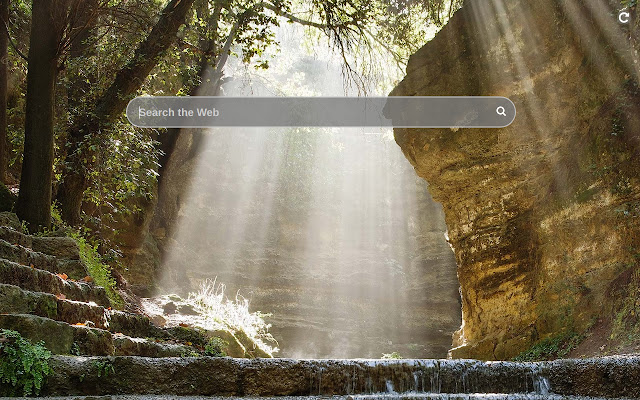
Télécharger le fichier CRX de l'extension Easy New Tab
Téléchargez les fichiers d'extension Easy New Tab au format crx, installez manuellement les extensions Chrome dans le navigateur ou partagez les fichiers crx avec des amis pour installer facilement les extensions Chrome.
Instructions d'Utilisation de l'Extension
                        This extension replaces default new tab page with one where there is only a search bar with autocomplete, and the background is a random landscape image. Enjoy and relax while surfing the Internet!

By clicking "Add to chrome", I accept and agree to installing the Easy New Tab Chrome extension and setting Chrome™ New Tab to that provided by the service and the Terms of Use and Privacy Policy
Informations de Base sur l'Extension
| Nom |  Easy New Tab Easy New Tab |
| ID | npiipcjhnhgklimfncldongkkhijemgm |
| URL Officiel | https://chrome.google.com/webstore/detail/npiipcjhnhgklimfncldongkkhijemgm |
| Description | New tab page with beautiful background and without distracting things |
| Taille du Fichier | 290 KB |
| Nombre d'Installations | 57,925 |
| Version Actuelle | 2.1 |
| Dernière Mise à Jour | 2023-03-30 |
| Date de Publication | 2019-12-22 |
| Évaluation | 3.00/5 Total 2 Évaluations |
| Développeur | C.A.M. First Agency Kft. |
| [email protected] | |
| Type de Paiement | free |
| URL de la Page de Politique de Confidentialité | https://docs.google.com/document/d/e/2PACX-1vSZa40A0A9wELr9wJEB2nEGtltOPnWE3P3w9TicYLkJeixMZlv2vx6LOgtUfzdFZJFNUSOhRORML3tJ/pub |
| Langues Prises en Charge | en |
| manifest.json | |
{
    "update_url": "https:\/\/clients2.google.com\/service\/update2\/crx",
    "manifest_version": 3,
    "version": "2.1",
    "name": "Easy New Tab",
    "description": "New tab page with beautiful background and without distracting things",
    "chrome_url_overrides": {
        "newtab": "index.html"
    },
    "icons": {
        "128": "128.png"
    },
    "action": {
        "default_title": "Open Easy New Tab"
    },
    "background": {
        "service_worker": "js\/bg.js"
    }
} | |