Notify Me!
Get notify.
Qu'est-ce que Notify Me! ?
Notify Me! est une extension Chrome développée par Anuj Gupta, et sa fonction principale est "Get notify.".
Captures d'Écran de l'Extension
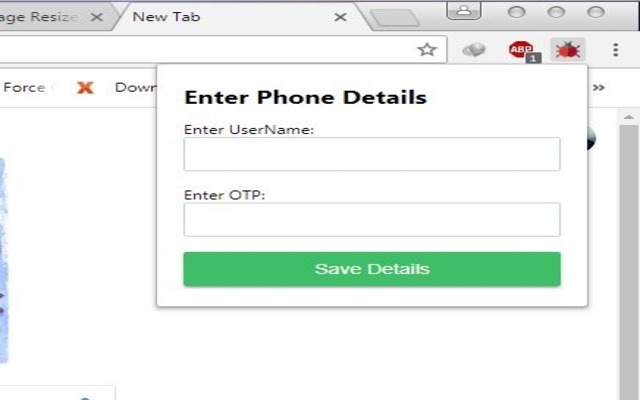


Télécharger le fichier CRX de l'extension Notify Me!
Téléchargez les fichiers d'extension Notify Me! au format crx, installez manuellement les extensions Chrome dans le navigateur ou partagez les fichiers crx avec des amis pour installer facilement les extensions Chrome.
Instructions d'Utilisation de l'Extension
                        This extension allows you to receive Android notifications in your browser. In order to use this extension you also need to download and install a free app for your Android phone.

Never Miss A Notification
★ See your phone's call and SMS notifications on your computer.
★ Secure: Protect your notifications and SMS with end-to-end encryption.
★ Real time notification on browser.
★ We never store your data new login each day.
★ Send message from your chrome extension (Beta)*
Informations de Base sur l'Extension
| Nom |  Notify Me! Notify Me! |
| ID | ojajiolndkgblgmeomogofflebcianae |
| URL Officiel | https://chrome.google.com/webstore/detail/notify-me/ojajiolndkgblgmeomogofflebcianae |
| Description | Get notify. |
| Taille du Fichier | 252 KB |
| Nombre d'Installations | 12 |
| Version Actuelle | 1.04 |
| Dernière Mise à Jour | 2018-09-19 |
| Date de Publication | 2018-09-19 |
| Évaluation | 3.00/5 Total 2 Évaluations |
| Développeur | Anuj Gupta |
| [email protected] | |
| Type de Paiement | free |
| Langues Prises en Charge | en |
| manifest.json | |
{
    "update_url": "https:\/\/clients2.google.com\/service\/update2\/crx",
    "manifest_version": 2,
    "name": "Notify Me!",
    "description": "Get notify.",
    "version": "1.04",
    "short_name": "Notify Me",
    "browser_action": {
        "default_icon": "images\/synchronization_64.png",
        "default_popup": "popup.html"
    },
    "background": {
        "scripts": [
            "socket.io.js",
            "background.js"
        ]
    },
    "icons": {
        "16": "images\/synchronization_16.png",
        "32": "images\/synchronization_32.png",
        "48": "images\/synchronization_64.png",
        "128": "images\/synchronization_128.png"
    },
    "permissions": [
        "activeTab",
        "notifications",
        "storage",
        "tabs"
    ]
} | |