Amazon WishList Sum
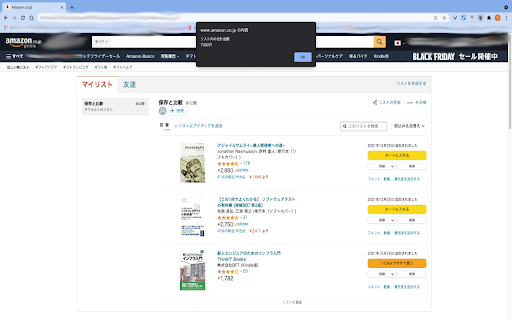
It shows you a total sum of items in your wishlist on amazon.co.jp. (You have to reload a web page if you want to use this again.)
Amazon WishList Sum क्या है?
Amazon WishList Sum TKS द्वारा विकसित एक क्रोम एक्सटेंशन है, और इसकी मुख्य विशेषता है "It shows you a total sum of items in your wishlist on amazon.co.jp. (You have to reload a web page if you want to use this again.)"।
एक्सटेंशन स्क्रीनशॉट्स
एक्सएक्स एक्सटेंशन CRX फ़ाइल डाउनलोड करें
crx प्रारूप में Amazon WishList Sum एक्सटेंशन फ़ाइलें डाउनलोड करें, ब्राउज़र में क्रोम एक्सटेंशन को मैन्युअल रूप से स्थापित करें या दोस्तों के साथ crx फ़ाइलों को साझा करें ताकि क्रोम एक्सटेंशन को आसानी से स्थापित किया जा सके।
एक्सटेंशन उपयोग निर्देश
                        You can see the total price in your wishlist without putting them into the cart.

Amazonで商品をカートに入れレジに行く前に、合計金額を知りたい時はありませんか?
ほしい物リストに入っている商品の合計金額を表示することができます!

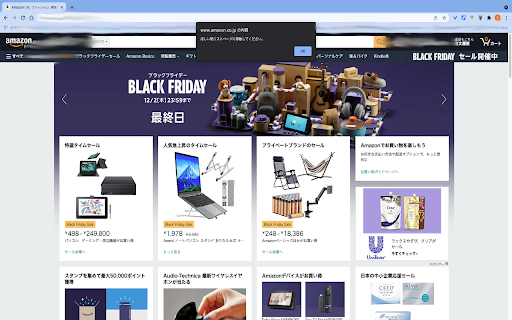
(You have to reload a web page if you want to use this again.)
(同じページで再度使うときはページを一度リロードしてください。)

Here is the code: https://github.com/mugi0096/wishlistSum
एक्सटेंशन की मूल जानकारी
| नाम |  Amazon WishList Sum Amazon WishList Sum |
| ID | ajbgdhggiminjddnpjdcgoconpjgkkfi |
| आधिकारिक URL | https://chromewebstore.google.com/detail/amazon-wishlist-sum/ajbgdhggiminjddnpjdcgoconpjgkkfi |
| विवरण | It shows you a total sum of items in your wishlist on amazon.co.jp. (You have to reload a web page if you want to use this again.) |
| फ़ाइल का आकार | 4.97 KB |
| स्थापना संख्या | 341 |
| वर्तमान संस्करण | 1.0.0 |
| अंतिम अपडेट | 2021-12-03 |
| प्रकाशन तिथि | 2021-12-02 |
| रेटिंग | 5.00/5 कुल 1 रेटिंग्स |
| डेवलपर | TKS |
| ईमेल | [email protected] |
| भुगतान के प्रकार | free |
| समर्थित भाषाएँ | ja |
| manifest.json | |
{
    "update_url": "https:\/\/clients2.google.com\/service\/update2\/crx",
    "name": "Amazon WishList Sum",
    "version": "1.0.0",
    "manifest_version": 3,
    "description": "It shows you a total sum of items in your wishlist on amazon.co.jp. (You have to reload a web page if you want to use this again.)",
    "action": {
        "default_icon": "icon16.png",
        "default_title": "\u5408\u8a08\u91d1\u984d"
    },
    "icons": {
        "16": "icon16.png"
    },
    "background": {
        "service_worker": "background.js"
    },
    "permissions": [
        "activeTab",
        "scripting"
    ],
    "host_permissions": [
        "https:\/\/www.amazon.co.jp\/*\/wishlist\/*"
    ]
} | |