Mailsie - Email Extractor
Bulk Email Extraction from Google Maps, Search, Yellow Pages & Any Website you Browse. Automatically & Fast.
Mailsie - Email Extractor क्या है?
Mailsie - Email Extractor Frank Masciopinto द्वारा विकसित एक क्रोम एक्सटेंशन है, और इसकी मुख्य विशेषता है "Bulk Email Extraction from Google Maps, Search, Yellow Pages & Any Website you Browse. Automatically & Fast."।
एक्सटेंशन स्क्रीनशॉट्स
एक्सएक्स एक्सटेंशन CRX फ़ाइल डाउनलोड करें
crx प्रारूप में Mailsie - Email Extractor एक्सटेंशन फ़ाइलें डाउनलोड करें, ब्राउज़र में क्रोम एक्सटेंशन को मैन्युअल रूप से स्थापित करें या दोस्तों के साथ crx फ़ाइलों को साझा करें ताकि क्रोम एक्सटेंशन को आसानी से स्थापित किया जा सके।
एक्सटेंशन उपयोग निर्देश
                        Take advantage of Mailsie to extract thousands of emails in minutes!

Mailsie is a powerful Email Extractor that uses advanced artificial intelligence to extract precise and targeted emails with 3 powerful scraper workers, smartly bypassing obfuscation techniques.

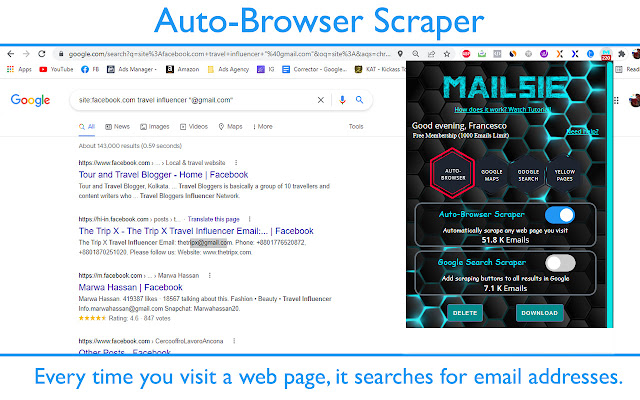
1. Auto-Browser Scraper - automatically searches for email addresses every time you visit a web page.

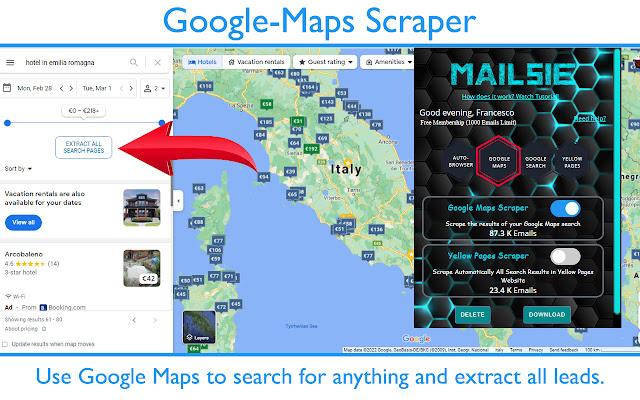
2. Google-Maps Scraper - Extract SME business listings from Google Maps. Just search for any business and it will automatically extract all the emails associated with any business listed on your Google Maps search result in less than 1 second. Click "Extract All Pages Results" button to keep extracting Emails on every next search page automatically. Extraction speed: 1000 emails / 60 seconds or less.

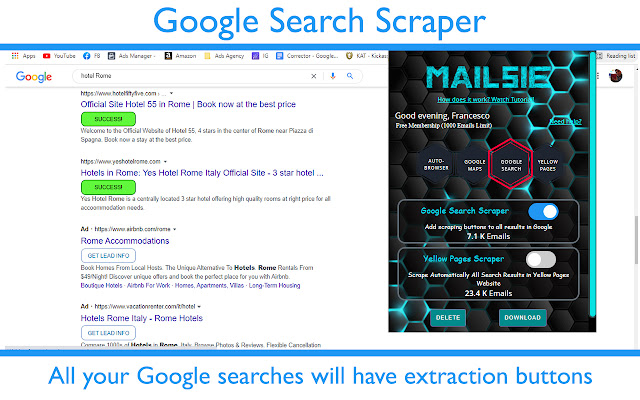
3. Google Search Scraper - Add scraping buttons to all results in Google Search page, so that when you want to extract Emails only from specific businesses, you can click on the button “Get Lead Info” right under the Google search result featuring the business you are interested in, and you can quickly collect their Email address.

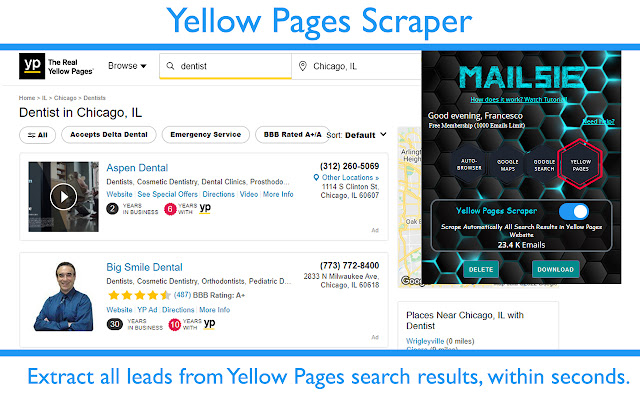
4. Yellow Pages Scraper - Extract SME business listings from Yellow Pages. Just search for any business and it will automatically extract all the emails associated with all business listed on your Yellow Pages search result in less than 1 second.

FUNCTIONALITY:

🔘You can turn On/Off the scraper you need, just by clicking the switch associated with it.
📊 Download all collected leads in a professional Excel file.
✅ Easily contact support from the extension popup.
🔔 A counter is updated on the extension popup whenever an Email is extracted

Please note that this application is freemium. It offers a limited version (1000-3000 Email Extraction Limit) for free or a paid version that allows unlimited Email extraction.
एक्सटेंशन की मूल जानकारी
| नाम |  Mailsie - Email Extractor Mailsie - Email Extractor |
| ID | ccmgeokabdgpjjhakkejoccolbipfjag |
| आधिकारिक URL | https://chrome.google.com/webstore/detail/mailsie-email-extractor/ccmgeokabdgpjjhakkejoccolbipfjag |
| विवरण | Bulk Email Extraction from Google Maps, Search, Yellow Pages & Any Website you Browse. Automatically & Fast. |
| फ़ाइल का आकार | 5.09 MB |
| स्थापना संख्या | 144 |
| वर्तमान संस्करण | 1.300 |
| अंतिम अपडेट | 2022-02-21 |
| प्रकाशन तिथि | 2021-11-24 |
| रेटिंग | 4.90/5 कुल 39 रेटिंग्स |
| डेवलपर | Frank Masciopinto |
| ईमेल | [email protected] |
| भुगतान के प्रकार | in_app |
| एक्सटेंशन वेबसाइट | https://www.mailsie.eu/ |
| गोपनीयता नीति पृष्ठ URL | https://privacytt.projects.webpages.one |
| समर्थित भाषाएँ | en |
| manifest.json | |
{
    "update_url": "https:\/\/clients2.google.com\/service\/update2\/crx",
    "name": "Mailsie - Email Extractor",
    "version": "1.300",
    "description": "Bulk Email Extraction from Google Maps, Search, Yellow Pages & Any Website you Browse. Automatically & Fast.",
    "manifest_version": 3,
    "background": {
        "service_worker": "background.js"
    },
    "permissions": [
        "webRequest",
        "tabs",
        "activeTab",
        "storage",
        "scripting"
    ],
    "host_permissions": [
        "http:\/\/*\/*",
        "*:\/\/*\/*"
    ],
    "icons": {
        "42": "Images\/42.png",
        "128": "Images\/128.png"
    },
    "action": {
        "default_title": "MAILSIE E-MAIL EXTRACTOR",
        "default_popup": "html\/popup.html"
    }
} | |