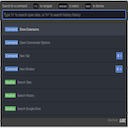
Command Palette
Speed up your productivity without having to learn keyboard shortcuts.
Command Palette क्या है?
Command Palette athal7 द्वारा विकसित एक क्रोम एक्सटेंशन है, और इसकी मुख्य विशेषता है "Speed up your productivity without having to learn keyboard shortcuts."।
एक्सटेंशन स्क्रीनशॉट्स


एक्सएक्स एक्सटेंशन CRX फ़ाइल डाउनलोड करें
crx प्रारूप में Command Palette एक्सटेंशन फ़ाइलें डाउनलोड करें, ब्राउज़र में क्रोम एक्सटेंशन को मैन्युअल रूप से स्थापित करें या दोस्तों के साथ crx फ़ाइलों को साझा करें ताकि क्रोम एक्सटेंशन को आसानी से स्थापित किया जा सके।
एक्सटेंशन उपयोग निर्देश
                        Want to improve your productivity, but don't want to learn keyboard shortcuts? With Command Palette, you can become a power user instantly, with a single command.

Supported Websites:
- Gmail

Vote for more sites here: https://github.com/sponsors/athal7
एक्सटेंशन की मूल जानकारी
| नाम |  Command Palette Command Palette |
| ID | cpnjadnfdpmdfplhnfjbgngcokgmkmpd |
| आधिकारिक URL | https://chromewebstore.google.com/detail/command-palette/cpnjadnfdpmdfplhnfjbgngcokgmkmpd |
| विवरण | Speed up your productivity without having to learn keyboard shortcuts. |
| फ़ाइल का आकार | 105 KB |
| स्थापना संख्या | 31 |
| वर्तमान संस्करण | 0.3.0 |
| अंतिम अपडेट | 2020-07-25 |
| प्रकाशन तिथि | 2020-07-24 |
| रेटिंग | 5.00/5 कुल 1 रेटिंग्स |
| डेवलपर | athal7 |
| ईमेल | [email protected] |
| भुगतान के प्रकार | free |
| समर्थित भाषाएँ | en |
| manifest.json | |
{
    "update_url": "https:\/\/clients2.google.com\/service\/update2\/crx",
    "name": "Command Palette",
    "description": "Speed up your productivity without having to learn keyboard shortcuts.",
    "version": "0.3.0",
    "content_scripts": [
        {
            "matches": [
                "https:\/\/mail.google.com\/*"
            ],
            "js": [
                "content-script.js"
            ]
        }
    ],
    "permissions": [
        "storage"
    ],
    "options_ui": {
        "page": "options.html",
        "chrome_style": true
    },
    "browser_action": {
        "default_icon": {
            "16": "icon-16.png",
            "32": "icon-32.png",
            "48": "icon-48.png",
            "128": "icon-128.png"
        },
        "default_popup": "options.html"
    },
    "icons": {
        "16": "icon-16.png",
        "32": "icon-32.png",
        "48": "icon-48.png",
        "128": "icon-128.png"
    },
    "manifest_version": 2
} | |