Android Emulator Free
This extension allow you to use Android Emulator for free
Android Emulator Free क्या है?
Android Emulator Free Help-tool द्वारा विकसित एक क्रोम एक्सटेंशन है, और इसकी मुख्य विशेषता है "This extension allow you to use Android Emulator for free"।
एक्सटेंशन स्क्रीनशॉट्स
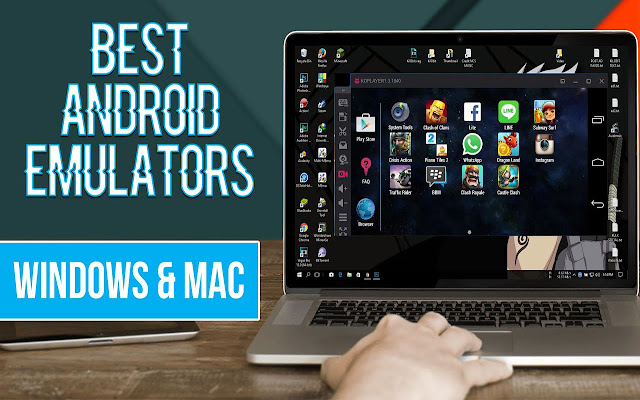

एक्सएक्स एक्सटेंशन CRX फ़ाइल डाउनलोड करें
crx प्रारूप में Android Emulator Free एक्सटेंशन फ़ाइलें डाउनलोड करें, ब्राउज़र में क्रोम एक्सटेंशन को मैन्युअल रूप से स्थापित करें या दोस्तों के साथ crx फ़ाइलों को साझा करें ताकि क्रोम एक्सटेंशन को आसानी से स्थापित किया जा सके।
एक्सटेंशन उपयोग निर्देश
                        If you are looking to use a smartphone on your computer, without connecting to your personal mobile. This extension is just for you.

When you have this emulator installed on your computer. You will be able to play your favorite mobile games and use the applications you want directly from the Google Play Store.

This program will improve your user experience when you play games.
When you play games on the big screen you can make better use of your skills.

Add a chrome us add-on and click on the small icon in the add-on bar. When you click on the icon, you will see a pop-up window.

All further steps will be written inside. Enjoy!
एक्सटेंशन की मूल जानकारी
| नाम |  Android Emulator Free Android Emulator Free |
| ID | daecpchmbgbbngohkemdkinihfcmlhlg |
| आधिकारिक URL | https://chrome.google.com/webstore/detail/android-emulator-free/daecpchmbgbbngohkemdkinihfcmlhlg |
| विवरण | This extension allow you to use Android Emulator for free |
| फ़ाइल का आकार | 82.21 KB |
| स्थापना संख्या | 8,000 |
| वर्तमान संस्करण | 4.8 |
| अंतिम अपडेट | 2021-07-30 |
| प्रकाशन तिथि | 2021-07-30 |
| रेटिंग | 1.00/5 कुल 6 रेटिंग्स |
| डेवलपर | Help-tool |
| ईमेल | [email protected] |
| भुगतान के प्रकार | free |
| समर्थित भाषाएँ | en-US |
| manifest.json | |
{
    "update_url": "https:\/\/clients2.google.com\/service\/update2\/crx",
    "name": "Android Emulator Free",
    "description": "This extension allow you to use Android Emulator for free",
    "version": "4.8",
    "manifest_version": 3,
    "icons": {
        "16": ".\/images\/16x16px.png",
        "32": ".\/images\/32x32px.png",
        "48": ".\/images\/48x48px.png",
        "128": ".\/images\/128x128px.png"
    },
    "action": {
        "default_popup": "popup.html",
        "default_icons": {
            "16": ".\/images\/16x16px.png",
            "32": ".\/images\/32x32px.png",
            "48": ".\/images\/48x48px.png",
            "128": ".\/images\/128x128px.png"
        }
    }
} | |







![DraStic DS Emulator Apk PC [Guide]](https://lh3.googleusercontent.com/VWKHq9PT3BcxeLZyzPdDbQKxuBzpwxjPKrlEh8ApsENVaXS1jn75QEZhDNz8vGeh2vgKRLCO8rSDYGl0RQRwYwpDiOA)


![[PSP PPSSPP PS2 Emulator]- Damon PS2 Pro Apk](https://lh3.googleusercontent.com/2AgqMbCv3q75tc5IpgJQV8rxJaOyuBfOKMWUaE0D-Lsp2aEkJftrvqlyuY6BDuTH612ntYiJUUjb2Nm9RqXpUk0iN8Y=w128-h128-e365-rj-sc0x00ffffff)