HangoutSnitch AntiMute
This extension allows you to auto unmute yourself on google hangouts.
HangoutSnitch AntiMute क्या है?
HangoutSnitch AntiMute Adam Guerbuez द्वारा विकसित एक क्रोम एक्सटेंशन है, और इसकी मुख्य विशेषता है "This extension allows you to auto unmute yourself on google hangouts."।
एक्सटेंशन स्क्रीनशॉट्स
एक्सएक्स एक्सटेंशन CRX फ़ाइल डाउनलोड करें
crx प्रारूप में HangoutSnitch AntiMute एक्सटेंशन फ़ाइलें डाउनलोड करें, ब्राउज़र में क्रोम एक्सटेंशन को मैन्युअल रूप से स्थापित करें या दोस्तों के साथ crx फ़ाइलों को साझा करें ताकि क्रोम एक्सटेंशन को आसानी से स्थापित किया जा सके।
एक्सटेंशन उपयोग निर्देश
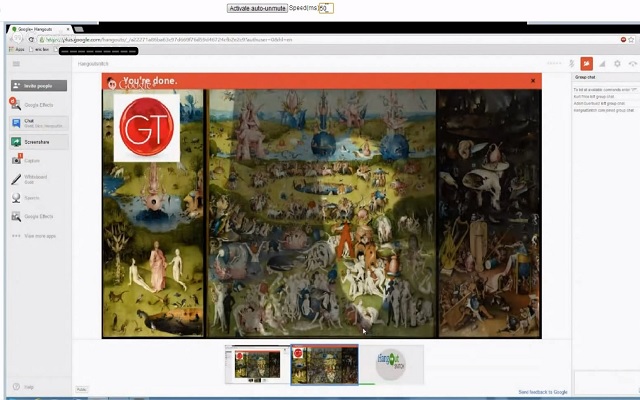
                        Ever get tired of clicking on the microphone icon in a Google+ Hangout each time you get muted, to un-mute yourself? This extension automates that process by detecting when you are muted by another participant within the hangout and instantly un-mutes your audio.
There is an user specified response time when using this extension so you can manually set the time in milliseconds that you would like the extension to react to you being muted. Setting it to 50 is the standard.
एक्सटेंशन की मूल जानकारी
| नाम |  HangoutSnitch AntiMute HangoutSnitch AntiMute |
| ID | djabanbdphleocnnbhkenldfajihibio |
| आधिकारिक URL | https://chrome.google.com/webstore/detail/hangoutsnitch-antimute/djabanbdphleocnnbhkenldfajihibio |
| विवरण | This extension allows you to auto unmute yourself on google hangouts. |
| फ़ाइल का आकार | 40.46 KB |
| स्थापना संख्या | 168 |
| वर्तमान संस्करण | 1.0 |
| अंतिम अपडेट | 2013-10-19 |
| प्रकाशन तिथि | 2013-10-19 |
| रेटिंग | 3.40/5 कुल 15 रेटिंग्स |
| डेवलपर | Adam Guerbuez |
| भुगतान के प्रकार | free |
| समर्थित भाषाएँ | en |
| manifest.json | |
{
    "update_url": "https:\/\/clients2.google.com\/service\/update2\/crx",
    "manifest_version": 2,
    "name": "HangoutSnitch AntiMute",
    "description": "This extension allows you to auto unmute yourself on google hangouts.",
    "version": "1.0",
    "icons": {
        "16": "icon.png",
        "19": "icon.png",
        "38": "icon.png"
    },
    "content_scripts": [
        {
            "matches": [
                "https:\/\/plus.google.com\/hangouts\/*"
            ],
            "run_at": "document_idle",
            "js": [
                "jquery.js",
                "myscript.js"
            ]
        }
    ]
} | |