Timer Mulp
Make Timer great again.
Timer Mulp क्या है?
Timer Mulp Gilnom द्वारा विकसित एक क्रोम एक्सटेंशन है, और इसकी मुख्य विशेषता है "Make Timer great again."।
एक्सटेंशन स्क्रीनशॉट्स

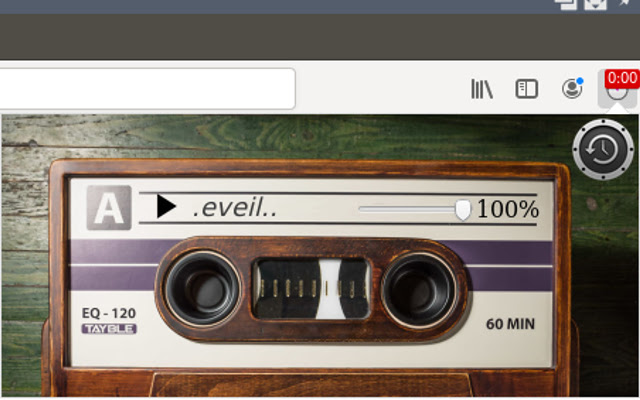
एक्सएक्स एक्सटेंशन CRX फ़ाइल डाउनलोड करें
crx प्रारूप में Timer Mulp एक्सटेंशन फ़ाइलें डाउनलोड करें, ब्राउज़र में क्रोम एक्सटेंशन को मैन्युअल रूप से स्थापित करें या दोस्तों के साथ crx फ़ाइलों को साझा करें ताकि क्रोम एक्सटेंशन को आसानी से स्थापित किया जा सके।
एक्सटेंशन उपयोग निर्देश
                        The timer is easy to use. Has:

1.  2 types of time input.
2.  Displays the remaining time on the expansion icon.
3.  5 different timers independent of each other.
एक्सटेंशन की मूल जानकारी
| नाम |  Timer Mulp Timer Mulp |
| ID | ecnepgmnbjpnkpjmojhkbdboocldoccd |
| आधिकारिक URL | https://chrome.google.com/webstore/detail/timer-mulp/ecnepgmnbjpnkpjmojhkbdboocldoccd |
| विवरण | Make Timer great again. |
| फ़ाइल का आकार | 3.68 MB |
| स्थापना संख्या | 47 |
| वर्तमान संस्करण | 1.2 |
| अंतिम अपडेट | 2020-10-24 |
| प्रकाशन तिथि | 2019-07-30 |
| डेवलपर | Gilnom |
| ईमेल | [email protected] |
| भुगतान के प्रकार | free |
| समर्थित भाषाएँ | en |
| manifest.json | |
{
    "update_url": "https:\/\/clients2.google.com\/service\/update2\/crx",
    "manifest_version": 2,
    "name": "Timer Mulp",
    "version": "1.2",
    "description": "Make Timer great again.",
    "icons": {
        "48": "icons\/stopwatch482.png",
        "96": "icons\/stopwatch962.png",
        "128": "icons\/stopwatch1282.png"
    },
    "browser_action": {
        "default_title": "Timer",
        "default_popup": "popup\/Timer.html"
    },
    "permissions": [
        "storage",
        "notifications",
        "tabs"
    ],
    "web_accessible_resources": [
        "icons\/elk.png",
        "icons\/play.png"
    ],
    "background": {
        "page": "popup\/nothi.html"
    }
} | |