Grade Calculator for Blackboard Learn
Find out what your grade would be with certain assignments added.
Grade Calculator for Blackboard Learn क्या है?
Grade Calculator for Blackboard Learn Rohan Mathur द्वारा विकसित एक क्रोम एक्सटेंशन है, और इसकी मुख्य विशेषता है "Find out what your grade would be with certain assignments added."।
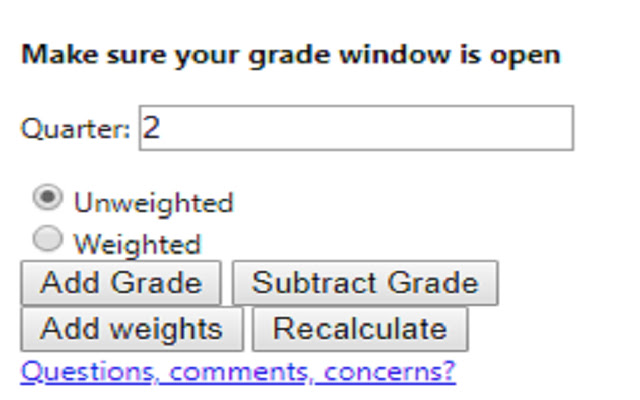
एक्सटेंशन स्क्रीनशॉट्स

एक्सएक्स एक्सटेंशन CRX फ़ाइल डाउनलोड करें
crx प्रारूप में Grade Calculator for Blackboard Learn एक्सटेंशन फ़ाइलें डाउनलोड करें, ब्राउज़र में क्रोम एक्सटेंशन को मैन्युअल रूप से स्थापित करें या दोस्तों के साथ crx फ़ाइलों को साझा करें ताकि क्रोम एक्सटेंशन को आसानी से स्थापित किया जा सके।
एक्सटेंशन उपयोग निर्देश
                        **MAJOR UPDATE**
I MADE AN ACTUAL GUI!! This is now an actually usable chrome extension and something I'm actually kind of proud of. I hope everyone finds it useful!

Thanks,
Rohan

This extension is meant to help you figure out what your total grade would be after an assignment is entered into the grade book.

Feedback Form:
https://goo.gl/forms/1fpCghIIhv49VfTr1
एक्सटेंशन की मूल जानकारी
| नाम |  Grade Calculator for Blackboard Learn Grade Calculator for Blackboard Learn |
| ID | eohcolhmjdncdmicjibnnjfocokolonj |
| आधिकारिक URL | https://chrome.google.com/webstore/detail/grade-calculator-for-blac/eohcolhmjdncdmicjibnnjfocokolonj |
| विवरण | Find out what your grade would be with certain assignments added. |
| फ़ाइल का आकार | 71.73 KB |
| स्थापना संख्या | 435 |
| वर्तमान संस्करण | 4.0.0 |
| अंतिम अपडेट | 2019-11-25 |
| प्रकाशन तिथि | 2019-11-21 |
| रेटिंग | 5.00/5 कुल 3 रेटिंग्स |
| डेवलपर | Rohan Mathur |
| भुगतान के प्रकार | free |
| सहायता पृष्ठ URL | https://goo.gl/forms/1fpCghIIhv49VfTr1 |
| समर्थित भाषाएँ | en |
| manifest.json | |
{
    "update_url": "https:\/\/clients2.google.com\/service\/update2\/crx",
    "name": "Grade Calculator for Blackboard Learn",
    "version": "4.0.0",
    "manifest_version": 2,
    "description": "Find out what your grade would be with certain assignments added.",
    "browser_action": {
        "default_icon": "icon.png",
        "default_popup": "index.html"
    },
    "icons": {
        "16": "icon.png",
        "48": "icon.png",
        "128": "icon.png"
    },
    "permissions": [
        "tabs",
        "activeTab"
    ]
} | |