LIX counter
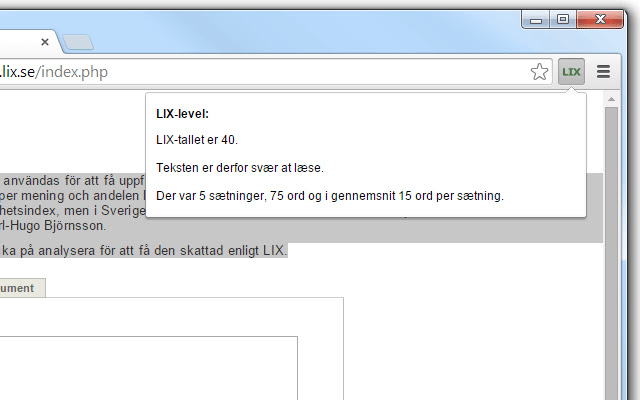
This extension calculates the LIX-level of the selected text.
LIX counter क्या है?
LIX counter pilehave द्वारा विकसित एक क्रोम एक्सटेंशन है, और इसकी मुख्य विशेषता है "This extension calculates the LIX-level of the selected text."।
एक्सटेंशन स्क्रीनशॉट्स
एक्सएक्स एक्सटेंशन CRX फ़ाइल डाउनलोड करें
crx प्रारूप में LIX counter एक्सटेंशन फ़ाइलें डाउनलोड करें, ब्राउज़र में क्रोम एक्सटेंशन को मैन्युअल रूप से स्थापित करें या दोस्तों के साथ crx फ़ाइलों को साझा करें ताकि क्रोम एक्सटेंशन को आसानी से स्थापित किया जा सके।
एक्सटेंशन उपयोग निर्देश
                        Using this simple extension, you can highlight text and right-click OR click the extension-button, and instantly get the LIX-level (readability) of the text.

read more about LIX: http://en.wikipedia.org/wiki/LIX.

Precision and result may vary from online tools, but is very close to the official LIX-tool, http://www.lix.se/index.php.
एक्सटेंशन की मूल जानकारी
| नाम |  LIX counter LIX counter |
| ID | hjeokkjbfhmfldpjcmfbidonomgmnknc |
| आधिकारिक URL | https://chrome.google.com/webstore/detail/lix-counter/hjeokkjbfhmfldpjcmfbidonomgmnknc |
| विवरण | This extension calculates the LIX-level of the selected text. |
| फ़ाइल का आकार | 11.65 KB |
| स्थापना संख्या | 101 |
| वर्तमान संस्करण | 1.1 |
| अंतिम अपडेट | 2017-07-11 |
| प्रकाशन तिथि | 2017-07-11 |
| डेवलपर | pilehave |
| भुगतान के प्रकार | free |
| समर्थित भाषाएँ | en,da |
| manifest.json | |
{
    "update_url": "https:\/\/clients2.google.com\/service\/update2\/crx",
    "manifest_version": 2,
    "name": "__MSG_extName__",
    "description": "__MSG_extDescr__",
    "version": "1.1",
    "default_locale": "en",
    "browser_action": {
        "default_icon": "icon.png",
        "default_popup": "popup.html",
        "default_title": "__MSG_clickDescr__"
    },
    "icons": {
        "16": "icon16.png",
        "48": "icon48.png",
        "128": "icon128.png"
    },
    "background": {
        "scripts": [
            "background.js"
        ]
    },
    "permissions": [
        "contextMenus",
        "background",
        "tabs",
        "http:\/\/*\/*",
        "https:\/\/*\/*"
    ]
} | |