Arbitrage Calculator
Quick and easy calculator for your arbitrage/free bet needs
Arbitrage Calculator क्या है?
Arbitrage Calculator M.R.E द्वारा विकसित एक क्रोम एक्सटेंशन है, और इसकी मुख्य विशेषता है "Quick and easy calculator for your arbitrage/free bet needs"।
एक्सटेंशन स्क्रीनशॉट्स
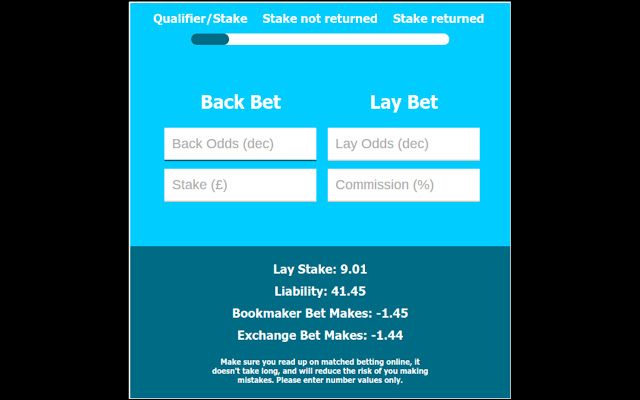

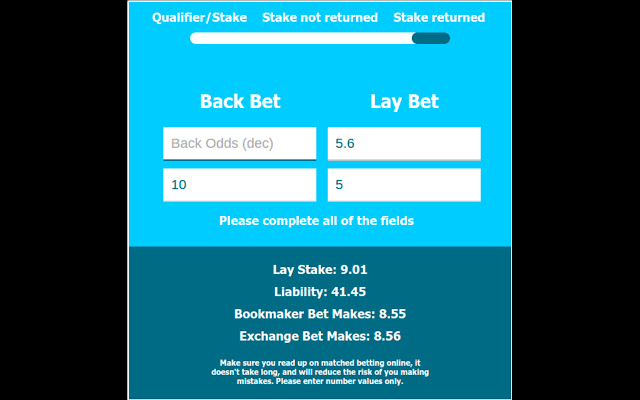
एक्सएक्स एक्सटेंशन CRX फ़ाइल डाउनलोड करें
crx प्रारूप में Arbitrage Calculator एक्सटेंशन फ़ाइलें डाउनलोड करें, ब्राउज़र में क्रोम एक्सटेंशन को मैन्युअल रूप से स्थापित करें या दोस्तों के साथ crx फ़ाइलों को साझा करें ताकि क्रोम एक्सटेंशन को आसानी से स्थापित किया जा सके।
एक्सटेंशन उपयोग निर्देश
                        Whether you are using Arbitrage or Matched Betting, this quick and easy calculator, in the comfort of your browser, will increase your speed and efficiency when choosing the right bets to place. Naturally, there will be risks if you don't read up on the methodology. We are not responsible for any losses that you incur whilst using this extension. Use at your own risk.

Version 1.0.3: The extension now maintains data between sessions.
एक्सटेंशन की मूल जानकारी
| नाम |  Arbitrage Calculator Arbitrage Calculator |
| ID | iccpdknfnbkckoiambmanhidhhcilkkm |
| आधिकारिक URL | https://chrome.google.com/webstore/detail/arbitrage-calculator/iccpdknfnbkckoiambmanhidhhcilkkm |
| विवरण | Quick and easy calculator for your arbitrage/free bet needs |
| फ़ाइल का आकार | 48.05 KB |
| स्थापना संख्या | 71 |
| वर्तमान संस्करण | 1.0.3 |
| अंतिम अपडेट | 2015-09-01 |
| प्रकाशन तिथि | 2015-08-24 |
| रेटिंग | 5.00/5 कुल 1 रेटिंग्स |
| डेवलपर | M.R.E |
| भुगतान के प्रकार | free |
| समर्थित भाषाएँ | en |
| manifest.json | |
{
    "update_url": "https:\/\/clients2.google.com\/service\/update2\/crx",
    "manifest_version": 2,
    "name": "Arbitrage Calculator",
    "short_name": "Arb",
    "description": "Quick and easy calculator for your arbitrage\/free bet needs",
    "version": "1.0.3",
    "author": "[email protected]",
    "icons": {
        "16": "A16.png",
        "48": "A48.png",
        "128": "A128.png"
    },
    "browser_action": {
        "default_icon": "A.png",
        "default_popup": "popup.html"
    },
    "permissions": [
        "activeTab",
        "https:\/\/ajax.googleapis.com\/",
        "storage"
    ],
    "content_security_policy": "script-src 'self' https:\/\/ssl.google-analytics.com; object-src 'self'"
} | |