History Graph
Reads your history, and shows the top ten pages you go to by typing the URL.
History Graph क्या है?
History Graph William Ma द्वारा विकसित एक क्रोम एक्सटेंशन है, और इसकी मुख्य विशेषता है "Reads your history, and shows the top ten pages you go to by typing the URL."।
एक्सटेंशन स्क्रीनशॉट्स
एक्सएक्स एक्सटेंशन CRX फ़ाइल डाउनलोड करें
crx प्रारूप में History Graph एक्सटेंशन फ़ाइलें डाउनलोड करें, ब्राउज़र में क्रोम एक्सटेंशन को मैन्युअल रूप से स्थापित करें या दोस्तों के साथ crx फ़ाइलों को साझा करें ताकि क्रोम एक्सटेंशन को आसानी से स्थापित किया जा सके।
एक्सटेंशन उपयोग निर्देश
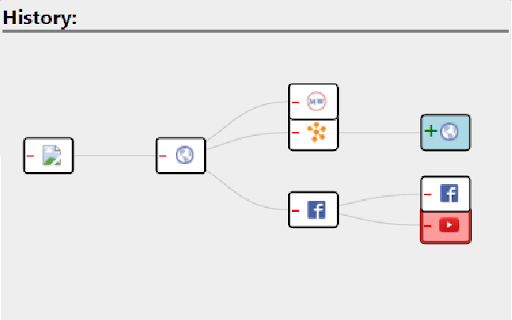
Navigate through your recent history much easier with this extension. A graph of all travelled pages will be displayed for a user to navigate to any page he/she wishes. एक्सटेंशन की मूल जानकारी
| नाम |  History Graph History Graph |
| ID | kknceihjckaijliogihaggomdjlaboim |
| आधिकारिक URL | https://chromewebstore.google.com/detail/history-graph/kknceihjckaijliogihaggomdjlaboim |
| विवरण | Reads your history, and shows the top ten pages you go to by typing the URL. |
| फ़ाइल का आकार | 134 KB |
| स्थापना संख्या | 11 |
| वर्तमान संस्करण | 1.6 |
| अंतिम अपडेट | 2016-01-15 |
| प्रकाशन तिथि | 2016-01-15 |
| रेटिंग | 4.00/5 कुल 1 रेटिंग्स |
| डेवलपर | William Ma |
| भुगतान के प्रकार | free |
| समर्थित भाषाएँ | en |
| manifest.json | |
{
    "update_url": "https:\/\/clients2.google.com\/service\/update2\/crx",
    "name": "History Graph",
    "version": "1.6",
    "description": "Reads your history, and shows the top ten pages you go to by typing the URL.",
    "permissions": [
        "tabs",
        "webNavigation"
    ],
    "background": {
        "scripts": [
            "jquery-1.11.1.min.js",
            "background.js"
        ]
    },
    "browser_action": {
        "default_popup": "GraphView.html",
        "default_icon": "icon.png"
    },
    "icons": {
        "128": "icon128.png",
        "64": "icon.png",
        "32": "icon32.png"
    },
    "manifest_version": 2
} | |