Whatsapp Desktop - How to Use Windows and Mac
Are you want to Use Web WhatsApp (Windows 10/8.1/8/7/Vista/XP or Mac)? Visit Offered by website link.
Whatsapp Desktop - How to Use Windows and Mac क्या है?
Whatsapp Desktop - How to Use Windows and Mac https://web-whatsapp.alorbook.com द्वारा विकसित एक क्रोम एक्सटेंशन है, और इसकी मुख्य विशेषता है "Are you want to Use Web WhatsApp (Windows 10/8.1/8/7/Vista/XP or Mac)? Visit Offered by website link."।
एक्सटेंशन स्क्रीनशॉट्स
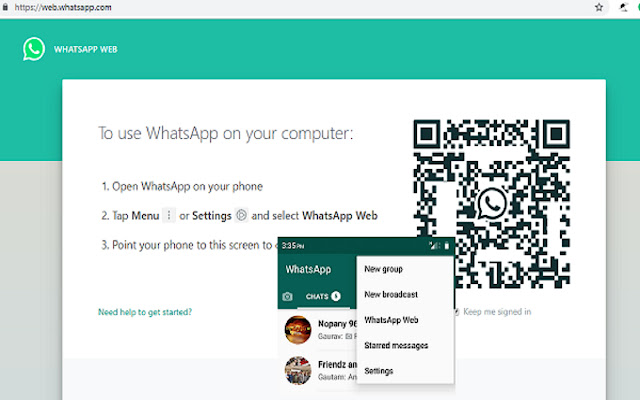


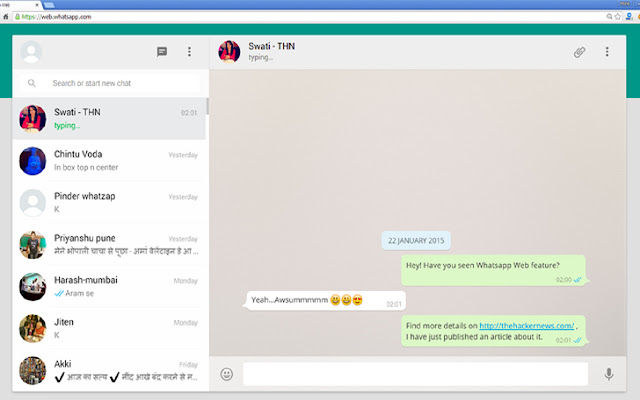
एक्सएक्स एक्सटेंशन CRX फ़ाइल डाउनलोड करें
crx प्रारूप में Whatsapp Desktop - How to Use Windows and Mac एक्सटेंशन फ़ाइलें डाउनलोड करें, ब्राउज़र में क्रोम एक्सटेंशन को मैन्युअल रूप से स्थापित करें या दोस्तों के साथ crx फ़ाइलों को साझा करें ताकि क्रोम एक्सटेंशन को आसानी से स्थापित किया जा सके।
एक्सटेंशन उपयोग निर्देश
                        We seem to be more connected more than ever with the way smartphones and mobile apps has made everything so accessible. From the time when Whats App Incorporated introduced Whats App messenger, we think we found the best form of unlimited call and text within the application. It’s highly practical because were able to enjoy these features with only an Internet connection required. Needless to say, we can talk endlessly over video calls, voice and send messages anywhere. Friends, families, co-workers and almost everyone we know already use the app.

How to Download WhatsApp for your PC:
Step 1: Download the android emulator software Andy and it is available for free. Click here to download: Download

Step 2: Start the installation of Andy by clicking on the installer file you downloaded.

Step 3: When the software is ready to be used, start it and complete the sign up procedure and login with Google Play account.

Step 4: Start Google play store app and use its search tool to search WhatsApp download.

Step 5: Find Whats App and start the installation.

Step 6: Launch the game and you can now play Whats App on pc using a mouse or your keyboard and even your touchscreen, you can use the control button to emulate the pinch function to zoom in and out.

Step 7: You can also install remote control app form here for remotely accessing the game: Andy remote control app

Support: we maintain an online real-time Facebook support group if you have any issues with Andy OS installation process, you can use this link to access the group: support
एक्सटेंशन की मूल जानकारी
| नाम |  Whatsapp Desktop - How to Use Windows and Mac Whatsapp Desktop - How to Use Windows and Mac |
| ID | lphdhngohcganaaejfagdaeepjekhodf |
| आधिकारिक URL | https://chrome.google.com/webstore/detail/whatsapp-desktop-how-to-u/lphdhngohcganaaejfagdaeepjekhodf |
| विवरण | Are you want to Use Web WhatsApp (Windows 10/8.1/8/7/Vista/XP or Mac)? Visit Offered by website link. |
| फ़ाइल का आकार | 77.56 KB |
| स्थापना संख्या | 10,933 |
| वर्तमान संस्करण | 1.0 |
| अंतिम अपडेट | 2021-04-09 |
| प्रकाशन तिथि | 2021-04-09 |
| रेटिंग | 5.00/5 कुल 1 रेटिंग्स |
| डेवलपर | https://web-whatsapp.alorbook.com |
| ईमेल | [email protected] |
| भुगतान के प्रकार | free |
| एक्सटेंशन वेबसाइट | https://www.howmash.com/whatsapp-web-for-pc-download-windows-laptop/ |
| गोपनीयता नीति पृष्ठ URL | https://www.alorbook.com/privacy-policy |
| समर्थित भाषाएँ | en-GB |
| manifest.json | |
null | |


















![DraStic DS Emulator Apk PC [Guide]](https://lh3.googleusercontent.com/VWKHq9PT3BcxeLZyzPdDbQKxuBzpwxjPKrlEh8ApsENVaXS1jn75QEZhDNz8vGeh2vgKRLCO8rSDYGl0RQRwYwpDiOA)


![Vidmate Apk Download 2020[Latest Version]](https://lh3.googleusercontent.com/PHJ5siLWbHAS8n8CaC-7eF8LuysxUNXQ4N3ya6PZYUmVtLXPU1qa_u-XR1U0seIc3RmAt28u=w128-h128-e365-rj-sc0x00ffffff)