URL Regex Generator
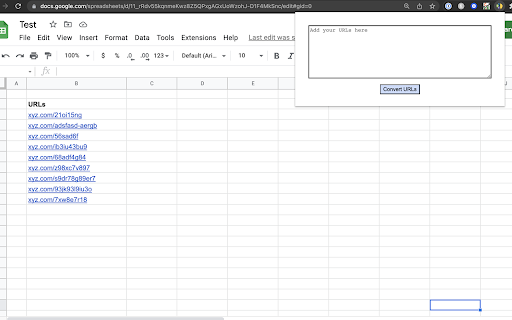
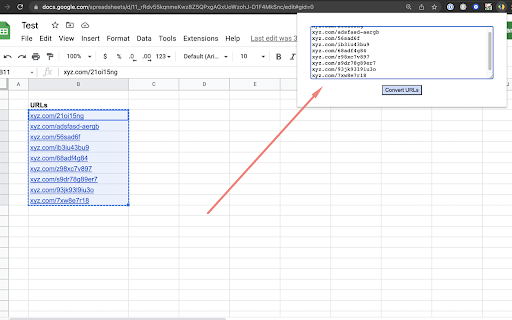
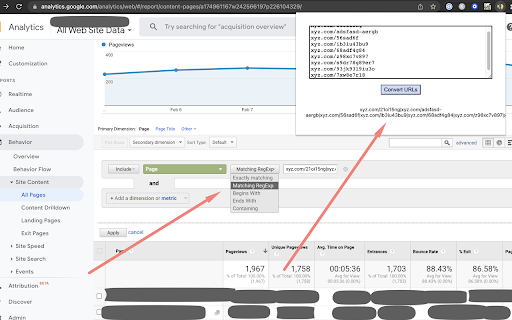
Create custom reports in GA for specific pages with ease. Simply add URLs into the tool & paste them into Google Analytics.
URL Regex Generator क्या है?
URL Regex Generator https://joshmay.xyz द्वारा विकसित एक क्रोम एक्सटेंशन है, और इसकी मुख्य विशेषता है "Create custom reports in GA for specific pages with ease. Simply add URLs into the tool & paste them into Google Analytics."।
एक्सटेंशन स्क्रीनशॉट्स
एक्सएक्स एक्सटेंशन CRX फ़ाइल डाउनलोड करें
crx प्रारूप में URL Regex Generator एक्सटेंशन फ़ाइलें डाउनलोड करें, ब्राउज़र में क्रोम एक्सटेंशन को मैन्युअल रूप से स्थापित करें या दोस्तों के साथ crx फ़ाइलों को साझा करें ताकि क्रोम एक्सटेंशन को आसानी से स्थापित किया जा सके।
एक्सटेंशन उपयोग निर्देश
                        Create custom reports for specific pages in GA with ease. Simply add the URLs into the regex generator and paste the result into Google Analytics custom reports.

Using this method I was able to monitor specific pages and grow a website from 0 to 30,000 organic searches in one year. Effective reporting is powerful.
एक्सटेंशन की मूल जानकारी
| नाम |  URL Regex Generator URL Regex Generator |
| ID | mdkhfhhdmebjkdnlcigpfhgdehkoikip |
| आधिकारिक URL | https://chromewebstore.google.com/detail/url-regex-generator/mdkhfhhdmebjkdnlcigpfhgdehkoikip |
| विवरण | Create custom reports in GA for specific pages with ease. Simply add URLs into the tool & paste them into Google Analytics. |
| फ़ाइल का आकार | 8.32 KB |
| स्थापना संख्या | 442 |
| वर्तमान संस्करण | 1.2 |
| अंतिम अपडेट | 2022-03-10 |
| प्रकाशन तिथि | 2022-02-14 |
| रेटिंग | 5.00/5 कुल 2 रेटिंग्स |
| डेवलपर | https://joshmay.xyz |
| ईमेल | [email protected] |
| भुगतान के प्रकार | free |
| समर्थित भाषाएँ | en |
| manifest.json | |
{
    "update_url": "https:\/\/clients2.google.com\/service\/update2\/crx",
    "manifest_version": 3,
    "name": "URL Regex Generator",
    "description": "Create custom reports in GA for specific pages with ease. Simply add URLs into the tool & paste them into Google Analytics.",
    "version": "1.2",
    "author": "Josh May",
    "action": {
        "default_icon": "index.png",
        "default_popup": "index.html"
    },
    "icons": {
        "16": "index.png",
        "48": "index.png",
        "128": "index.png"
    },
    "permissions": [
        "activeTab"
    ]
} | |