ScratchMoji
Brings Emojis to Scratch!
ScratchMoji क्या है?
ScratchMoji https://greenbayrules.github.io द्वारा विकसित एक क्रोम एक्सटेंशन है, और इसकी मुख्य विशेषता है "Brings Emojis to Scratch!"।
एक्सटेंशन स्क्रीनशॉट्स

एक्सएक्स एक्सटेंशन CRX फ़ाइल डाउनलोड करें
crx प्रारूप में ScratchMoji एक्सटेंशन फ़ाइलें डाउनलोड करें, ब्राउज़र में क्रोम एक्सटेंशन को मैन्युअल रूप से स्थापित करें या दोस्तों के साथ crx फ़ाइलों को साझा करें ताकि क्रोम एक्सटेंशन को आसानी से स्थापित किया जा सके।
एक्सटेंशन उपयोग निर्देश
                        Bring your conversations to life with ScratchMoji!

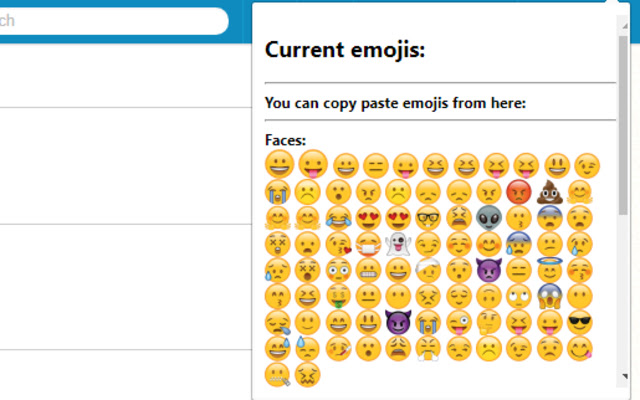
This extension replaces the current Scratch emojis for the more widely used Apple emojis. It also converts any emoticon (for example, ":D") into an emoji.

Click the icon of this extension to view all the emojis you can comment.

ScratchMoji is made by Sheshank Shankar (@PackersRuleGoPack)

Thanks to @jokebookservice1 for parts of the code.
एक्सटेंशन की मूल जानकारी
| नाम |  ScratchMoji ScratchMoji |
| ID | mnbldfncnodnfpmhblecpfidlckiiiad |
| आधिकारिक URL | https://chrome.google.com/webstore/detail/scratchmoji/mnbldfncnodnfpmhblecpfidlckiiiad |
| विवरण | Brings Emojis to Scratch! |
| फ़ाइल का आकार | 56.1 KB |
| स्थापना संख्या | 1,050 |
| वर्तमान संस्करण | 1.1 |
| अंतिम अपडेट | 2017-11-19 |
| प्रकाशन तिथि | 2017-11-19 |
| रेटिंग | 3.42/5 कुल 26 रेटिंग्स |
| डेवलपर | https://greenbayrules.github.io |
| भुगतान के प्रकार | free |
| समर्थित भाषाएँ | en,es |
| manifest.json | |
{
    "update_url": "https:\/\/clients2.google.com\/service\/update2\/crx",
    "manifest_version": 2,
    "name": "ScratchMoji",
    "short_name": "SM",
    "description": "Brings Emojis to Scratch!",
    "default_locale": "en",
    "content_scripts": [
        {
            "matches": [
                "https:\/\/scratch.mit.edu\/*"
            ],
            "css": [
                "inject-styles.css"
            ],
            "js": [
                "code.js"
            ],
            "run_at": "document_idle"
        }
    ],
    "version": "1.1",
    "background": {
        "scripts": [
            "background.js"
        ]
    },
    "browser_action": {
        "default_popup": "popup.html",
        "default_icon": "icon.png"
    },
    "icons": {
        "16": "icon.png",
        "48": "icon.png",
        "128": "icon.png"
    },
    "permissions": [
        "https:\/\/scratch.mit.edu\/*",
        "storage"
    ],
    "optional_permissions": [
        "notifications"
    ]
} | |