YouTube Chapterize
Provides convenience functions to handle YouTube chapters.
YouTube Chapterize क्या है?
YouTube Chapterize blackway द्वारा विकसित एक क्रोम एक्सटेंशन है, और इसकी मुख्य विशेषता है "Provides convenience functions to handle YouTube chapters."।
एक्सटेंशन स्क्रीनशॉट्स
एक्सएक्स एक्सटेंशन CRX फ़ाइल डाउनलोड करें
crx प्रारूप में YouTube Chapterize एक्सटेंशन फ़ाइलें डाउनलोड करें, ब्राउज़र में क्रोम एक्सटेंशन को मैन्युअल रूप से स्थापित करें या दोस्तों के साथ crx फ़ाइलों को साझा करें ताकि क्रोम एक्सटेंशन को आसानी से स्थापित किया जा सके।
एक्सटेंशन उपयोग निर्देश
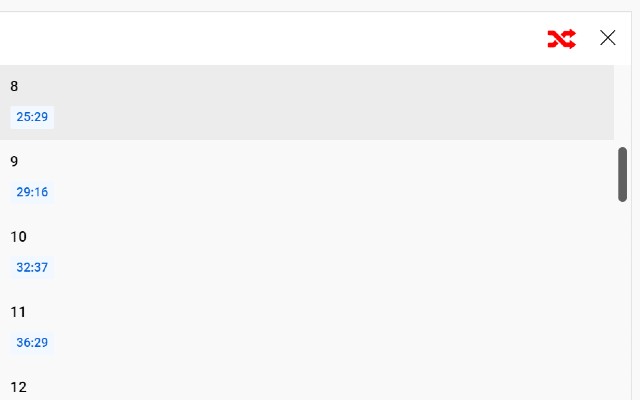
                        Use this extension if you want to shuffle the order of chapters. If you toggle the shuffle button at the top of the chapter list, the play time will shift to a random chapter when one chapter has finished playing.

Features
- You can shuffle chapters in a video.
एक्सटेंशन की मूल जानकारी
| नाम |  YouTube Chapterize YouTube Chapterize |
| ID | pndbjffcoioeikhcfofoefnlbiiidclh |
| आधिकारिक URL | https://chrome.google.com/webstore/detail/youtube-chapterize/pndbjffcoioeikhcfofoefnlbiiidclh |
| विवरण | Provides convenience functions to handle YouTube chapters. |
| फ़ाइल का आकार | 10.32 KB |
| स्थापना संख्या | 58 |
| वर्तमान संस्करण | 2 |
| अंतिम अपडेट | 2021-11-24 |
| प्रकाशन तिथि | 2021-11-23 |
| रेटिंग | 5.00/5 कुल 2 रेटिंग्स |
| डेवलपर | blackway |
| ईमेल | [email protected] |
| भुगतान के प्रकार | free |
| समर्थित भाषाएँ | en |
| manifest.json | |
{
    "update_url": "https:\/\/clients2.google.com\/service\/update2\/crx",
    "name": "YouTube Chapterize",
    "description": "Provides convenience functions to handle YouTube chapters.",
    "version": "2",
    "manifest_version": 3,
    "permissions": [
        "scripting"
    ],
    "icons": {
        "16": "icon.png",
        "32": "icon.png",
        "48": "icon.png",
        "128": "icon128.png"
    },
    "action": {
        "default_popup": "popup.html"
    },
    "content_scripts": [
        {
            "matches": [
                "http:\/\/www.youtube.com\/*",
                "https:\/\/www.youtube.com\/*"
            ],
            "js": [
                "inject.js"
            ]
        }
    ]
} | |