Screencap
Screencap
Apa itu Screencap?
Screencap adalah ekstensi Chrome yang dikembangkan oleh Surya Nuchu, dan fitur utamanya adalah "Screencap".
Screenshot Ekstensi

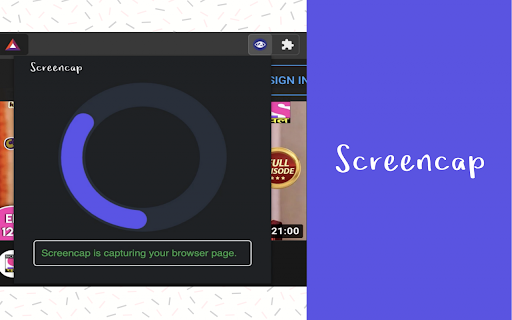
Unduh Berkas CRX Ekstensi Screencap
Unduh file ekstensi Screencap dalam format crx, pasang ekstensi Chrome secara manual di peramban, atau bagikan file crx dengan teman untuk menginstal ekstensi Chrome dengan mudah.
Petunjuk Penggunaan Ekstensi
                        Screencap is a screenshot Chrome extension that lets you capture the entire screen on Chrome. It is one of the best screenshot add-ons that you can find in the Google Web store.

Intro
———
Screencap will help you to get more work done by
1. Collaborate with Others
2. Demonstrate How to Perform a Function
3. Show Exactly What’s Happening

Features
———
➼ Capture the full page not just the visible area.
➼ Just one click to capture the entire screen.
➼ Beautiful animations to show you progress of the process.
➼ Save PNG files with one click.
➼ No login or registration required.
➼ There are no restrictions on the size or size of the file.

Privacy & Terms use
———
We don't collect or monitor any of your personal information.
Informasi Dasar Ekstensi
| Nama |  Screencap Screencap |
| ID | aniaallgmlgdlefladlfhadglocahllm |
| URL Resmi | https://chromewebstore.google.com/detail/screencap/aniaallgmlgdlefladlfhadglocahllm |
| Deskripsi | Screencap |
| Ukuran File | 1.44 MB |
| Jumlah Instalasi | 665 |
| Versi Saat Ini | 1.0.1 |
| Terakhir Diperbarui | 2021-01-14 |
| Tanggal Publikasi | 2020-12-23 |
| Penilaian | 5.00/5 Total 11 Penilaian |
| Pengembang | Surya Nuchu |
| [email protected] | |
| Tipe Pembayaran | free |
| URL Halaman Kebijakan Privasi | https://sites.google.com/view/screencap/home |
| Bahasa yang Didukung | en-US |
| manifest.json | |
{
    "update_url": "https:\/\/clients2.google.com\/service\/update2\/crx",
    "manifest_version": 2,
    "name": "Screencap",
    "version": "1.0.1",
    "description": "Screencap",
    "background": {
        "scripts": [
            "background.js"
        ],
        "persistent": false
    },
    "icons": {
        "16": "icons\/Icon-16.png",
        "48": "icons\/Icon-48.png",
        "128": "icons\/Icon-128.png"
    },
    "browser_action": {
        "default_title": "Capture Full Screen",
        "default_icon": "icons\/Icon-16.png",
        "default_popup": "popup.html"
    },
    "commands": {
        "_execute_browser_action": {
            "suggested_key": {
                "default": "Alt+Shift+P"
            }
        }
    },
    "permissions": [
        "activeTab",
        "unlimitedStorage"
    ]
} | |








