PGP Anywhere
Use PGP wherever you are
Apa itu PGP Anywhere?
PGP Anywhere adalah ekstensi Chrome yang dikembangkan oleh Nicolas Giese, dan fitur utamanya adalah "Use PGP wherever you are".
Screenshot Ekstensi
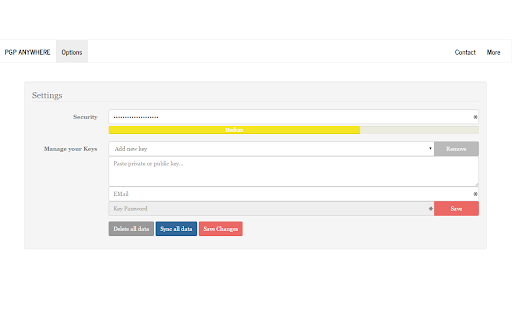
Unduh Berkas CRX Ekstensi PGP Anywhere
Unduh file ekstensi PGP Anywhere dalam format crx, pasang ekstensi Chrome secara manual di peramban, atau bagikan file crx dengan teman untuk menginstal ekstensi Chrome dengan mudah.
Petunjuk Penggunaan Ekstensi
                        Use PGP wherever you are - including encryption and digital signatures!

++ Full clientside encryption of your keyring ++ Cloud - Synchronization ++ Anonymous ++ Simple & Fast ++ Open Source ++ Active Development ++ Support for digital signatures ++

Permissions required:
- Storage (to be allowed to sync encrypted keyrings to the cloud)
- Identity (to be able to check if the user is logged in and initiating sync)

Source: https://github.com/JamesCullum/PGP-Anywhere
Informasi Dasar Ekstensi
| Nama |  PGP Anywhere PGP Anywhere |
| ID | cdlcdnmhcodhagbmljapgbjdimjckilb |
| URL Resmi | https://chromewebstore.google.com/detail/pgp-anywhere/cdlcdnmhcodhagbmljapgbjdimjckilb |
| Deskripsi | Use PGP wherever you are |
| Ukuran File | 1.5 MB |
| Jumlah Instalasi | 3,420 |
| Versi Saat Ini | 5.0.2 |
| Terakhir Diperbarui | 2021-07-21 |
| Tanggal Publikasi | 2018-02-18 |
| Penilaian | 4.08/5 Total 167 Penilaian |
| Pengembang | Nicolas Giese |
| [email protected] | |
| Tipe Pembayaran | free |
| Bahasa yang Didukung | de,en |
| manifest.json | |
{
    "update_url": "https:\/\/clients2.google.com\/service\/update2\/crx",
    "manifest_version": 2,
    "name": "PGP Anywhere",
    "description": "__MSG_manifest_description__",
    "default_locale": "en",
    "version": "5.0.2",
    "icons": {
        "16": "img\/favicon_16.png",
        "48": "img\/favicon_48.png",
        "64": "img\/favicon.png",
        "128": "img\/favicon_128.png"
    },
    "options_page": "html\/options.html",
    "browser_action": {
        "default_icon": "img\/favicon_19.png",
        "default_popup": "html\/popup.html"
    },
    "permissions": [
        "storage",
        "identity",
        "identity.email"
    ],
    "background": {
        "scripts": [
            "js\/jquery.min.js",
            "js\/background.js"
        ]
    }
} | |