waldo
Manage your Gmail attachments easily
Apa itu waldo?
waldo adalah ekstensi Chrome yang dikembangkan oleh Brain Motion, dan fitur utamanya adalah "Manage your Gmail attachments easily".
Screenshot Ekstensi
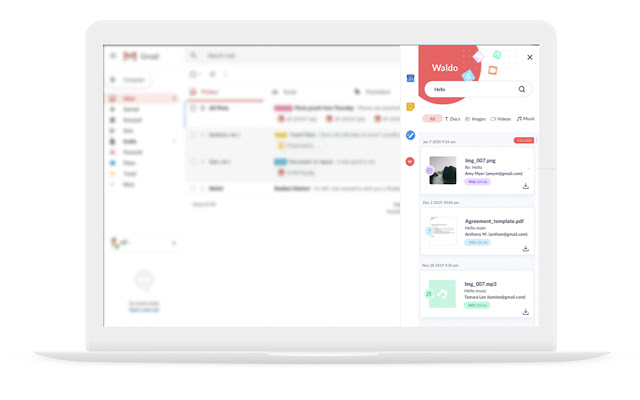
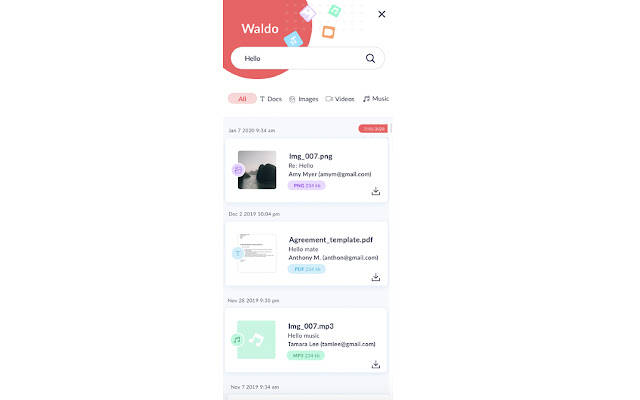
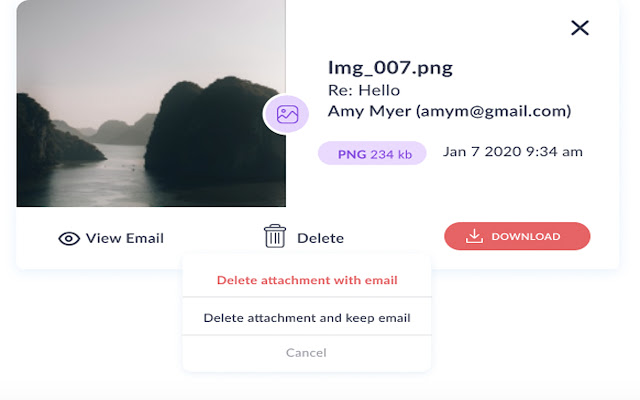
Unduh Berkas CRX Ekstensi waldo
Unduh file ekstensi waldo dalam format crx, pasang ekstensi Chrome secara manual di peramban, atau bagikan file crx dengan teman untuk menginstal ekstensi Chrome dengan mudah.
Petunjuk Penggunaan Ekstensi
Waldo lets you search and manage attachments in your Gmail mailbox easily, without having to scroll through hundreds of different messages to find a file. Search by file type, file name, sender's address or email topic. Sort by date or size, download or delete old attachments directly from Waldo while keeping the original email, and save Gigabytes and hours every month! Informasi Dasar Ekstensi
| Nama |  waldo waldo |
| ID | dcleeeblkgocgkdbbloglnolodhnkcem |
| URL Resmi | https://chrome.google.com/webstore/detail/dcleeeblkgocgkdbbloglnolodhnkcem |
| Deskripsi | Manage your Gmail attachments easily |
| Ukuran File | 706 KB |
| Jumlah Instalasi | 281 |
| Versi Saat Ini | 1.1.3 |
| Terakhir Diperbarui | 2020-05-17 |
| Tanggal Publikasi | 2020-05-16 |
| Penilaian | 5.00/5 Total 2 Penilaian |
| Pengembang | Brain Motion |
| [email protected] | |
| Tipe Pembayaran | free |
| Situs Ekstensi | https://www.getwaldo.app/ |
| URL Halaman Bantuan | https://www.getwaldo.app/contacts |
| URL Halaman Kebijakan Privasi | https://www.getwaldo.app/policy |
| Bahasa yang Didukung | en |
| manifest.json | |
{
    "update_url": "https:\/\/clients2.google.com\/service\/update2\/crx",
    "manifest_version": 2,
    "name": "waldo",
    "description": "Manage your Gmail attachments easily",
    "version": "1.1.3",
    "content_scripts": [
        {
            "run_at": "document_end",
            "matches": [
                "*:\/\/mail.google.com\/*"
            ],
            "js": [
                "js\/jquery-3.4.1.min.js",
                "js\/bootstrap.min.js",
                "js\/jquery.bootpag.js",
                "js\/jquery.bootpag.min.js",
                "content-script.js",
                "pdf.js",
                "pdf.worker.js"
            ],
            "css": [
                "css\/style.css"
            ]
        }
    ],
    "icons": {
        "16": "waldo_icon_16.png",
        "48": "waldo_icon_48.png",
        "128": "waldo_icon_128.png"
    },
    "browser_action": {
        "default_icon": {
            "128": "waldo_icon_128.png"
        }
    },
    "web_accessible_resources": [
        "popup.html",
        "img\/*.svg"
    ],
    "background": {
        "scripts": [
            "background.js",
            "js\/jquery-3.4.1.min.js"
        ],
        "persistent": false
    },
    "permissions": [
        "activeTab",
        "https:\/\/apis.google.com\/js\/api.js",
        "https:\/\/www.googleapis.com\/",
        "identity",
        "identity.email",
        "http:\/\/52.29.18.30\/",
        "https:\/\/script.google.com\/"
    ],
    "oauth2": {
        "client_id": "990405830857-bm9e4v579ehineo17aph32h6h3i6pt6b.apps.googleusercontent.com",
        "scopes": [
            "https:\/\/mail.google.com\/"
        ]
    },
    "content_security_policy": "script-src 'self' https:\/\/apis.google.com 'unsafe-eval'; object-src 'self'"
} | |