TawkNow Desktop Capture
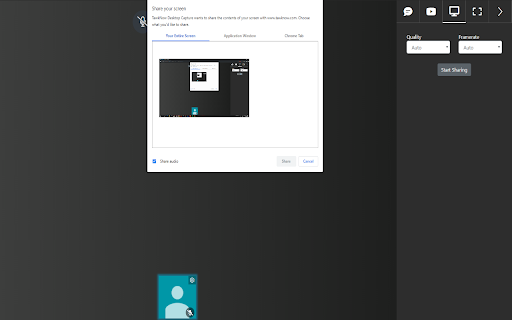
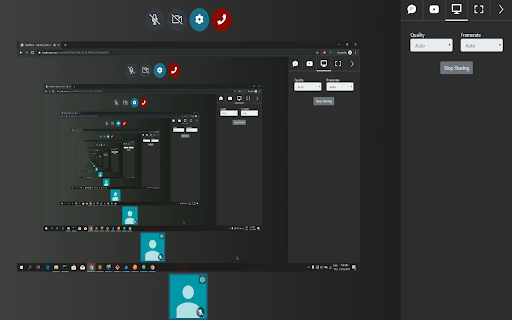
Capture full screen or specific application's screen. This is a part of ScreenShare function of TawkNow application
Apa itu TawkNow Desktop Capture?
TawkNow Desktop Capture adalah ekstensi Chrome yang dikembangkan oleh https://tawknow.com, dan fitur utamanya adalah "Capture full screen or specific application's screen. This is a part of ScreenShare function of TawkNow application".
Screenshot Ekstensi

Unduh Berkas CRX Ekstensi TawkNow Desktop Capture
Unduh file ekstensi TawkNow Desktop Capture dalam format crx, pasang ekstensi Chrome secara manual di peramban, atau bagikan file crx dengan teman untuk menginstal ekstensi Chrome dengan mudah.
Petunjuk Penggunaan Ekstensi
                        Capture full screen or specific application's screen. This is a part of ScreenShare function of TawkNow application
Share the screen from your computer in a video conversation, to show presentations, photos and documents.
This extension lets you share your screen with other participants in a TawkNow room, so you can hold efficient online meetings.

- Select which window/application or Chrome tab to share from your computer
- Handles multiple screens/monitors
- Participants can click to view your shared screen in fullscreen

**PRIVACY POLICY**
https://www.tawknow.com/privacy-policy
Informasi Dasar Ekstensi
| Nama |  TawkNow Desktop Capture TawkNow Desktop Capture |
| ID | emolhkkoikjjcokganpmlbjkcdnbeodj |
| URL Resmi | https://chromewebstore.google.com/detail/tawknow-desktop-capture/emolhkkoikjjcokganpmlbjkcdnbeodj |
| Deskripsi | Capture full screen or specific application's screen. This is a part of ScreenShare function of TawkNow application |
| Ukuran File | 12.5 KB |
| Jumlah Instalasi | 12 |
| Versi Saat Ini | 0.1.1 |
| Terakhir Diperbarui | 2019-12-25 |
| Tanggal Publikasi | 2019-12-17 |
| Penilaian | 5.00/5 Total 1 Penilaian |
| Pengembang | https://tawknow.com |
| Tipe Pembayaran | free |
| Situs Ekstensi | https://www.tawknow.com |
| URL Halaman Kebijakan Privasi | https://www.tawknow.com/privacy-policy |
| Bahasa yang Didukung | en |
| manifest.json | |
{
    "update_url": "https:\/\/clients2.google.com\/service\/update2\/crx",
    "name": "TawkNow Desktop Capture",
    "description": "Capture full screen or specific application's screen. This is a part of ScreenShare function of TawkNow application",
    "version": "0.1.1",
    "manifest_version": 2,
    "background": {
        "scripts": [
            "extension.js"
        ],
        "persistent": false
    },
    "content_scripts": [
        {
            "all_frames": true,
            "js": [
                "content-script.js"
            ],
            "matches": [
                "https:\/\/www.tawknow.com\/room\/*",
                "https:\/\/tawknow.com\/room\/*"
            ],
            "run_at": "document_end"
        }
    ],
    "homepage_url": "https:\/\/www.tawknow.com\/",
    "icons": {
        "128": "icon128.png",
        "16": "icon16.png",
        "48": "icon48.png"
    },
    "permissions": [
        "desktopCapture"
    ]
} | |