Grade Calculator for Blackboard Learn
Find out what your grade would be with certain assignments added.
Apa itu Grade Calculator for Blackboard Learn?
Grade Calculator for Blackboard Learn adalah ekstensi Chrome yang dikembangkan oleh Rohan Mathur, dan fitur utamanya adalah "Find out what your grade would be with certain assignments added.".
Screenshot Ekstensi

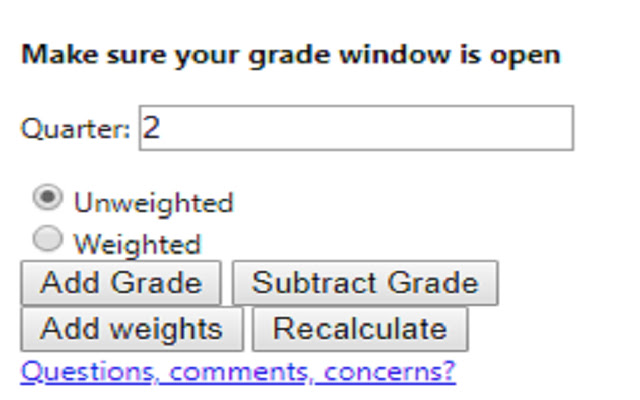
Unduh Berkas CRX Ekstensi Grade Calculator for Blackboard Learn
Unduh file ekstensi Grade Calculator for Blackboard Learn dalam format crx, pasang ekstensi Chrome secara manual di peramban, atau bagikan file crx dengan teman untuk menginstal ekstensi Chrome dengan mudah.
Petunjuk Penggunaan Ekstensi
                        **MAJOR UPDATE**
I MADE AN ACTUAL GUI!! This is now an actually usable chrome extension and something I'm actually kind of proud of. I hope everyone finds it useful!

Thanks,
Rohan

This extension is meant to help you figure out what your total grade would be after an assignment is entered into the grade book.

Feedback Form:
https://goo.gl/forms/1fpCghIIhv49VfTr1
Informasi Dasar Ekstensi
| Nama |  Grade Calculator for Blackboard Learn Grade Calculator for Blackboard Learn |
| ID | eohcolhmjdncdmicjibnnjfocokolonj |
| URL Resmi | https://chrome.google.com/webstore/detail/grade-calculator-for-blac/eohcolhmjdncdmicjibnnjfocokolonj |
| Deskripsi | Find out what your grade would be with certain assignments added. |
| Ukuran File | 71.73 KB |
| Jumlah Instalasi | 435 |
| Versi Saat Ini | 4.0.0 |
| Terakhir Diperbarui | 2019-11-25 |
| Tanggal Publikasi | 2019-11-21 |
| Penilaian | 5.00/5 Total 3 Penilaian |
| Pengembang | Rohan Mathur |
| Tipe Pembayaran | free |
| URL Halaman Bantuan | https://goo.gl/forms/1fpCghIIhv49VfTr1 |
| Bahasa yang Didukung | en |
| manifest.json | |
{
    "update_url": "https:\/\/clients2.google.com\/service\/update2\/crx",
    "name": "Grade Calculator for Blackboard Learn",
    "version": "4.0.0",
    "manifest_version": 2,
    "description": "Find out what your grade would be with certain assignments added.",
    "browser_action": {
        "default_icon": "icon.png",
        "default_popup": "index.html"
    },
    "icons": {
        "16": "icon.png",
        "48": "icon.png",
        "128": "icon.png"
    },
    "permissions": [
        "tabs",
        "activeTab"
    ]
} | |