Fuzzy Search
Nothing
Apa itu Fuzzy Search?
Fuzzy Search adalah ekstensi Chrome yang dikembangkan oleh Nishant, dan fitur utamanya adalah "Nothing".
Unduh Berkas CRX Ekstensi Fuzzy Search
Unduh file ekstensi Fuzzy Search dalam format crx, pasang ekstensi Chrome secara manual di peramban, atau bagikan file crx dengan teman untuk menginstal ekstensi Chrome dengan mudah.
Petunjuk Penggunaan Ekstensi
                        Fuzzy Search -


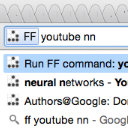
Using this extension you can fuzzy search through history, bookmarks and open tabs.
The number of allowed mistakes depends on the current length of search text. Based on the size of the search space, it will allow 1 mistake per 4 or 5 characters. The mistakes can be of following types - missing character, extra character, replacing character and swapping 2 adjacent characters.


Availabe Shortcuts -
1. Search All - Fuzzy Search throught bookmarks and history.
2. Search Bookmarks - Fuzzy Search through Bookmarks.
3. Search Tabs - Fuzzy Search through Open tabs in all open windows.
4. Edit Selected Url - Changes the text of search bar to the url of the selected result, if any.
5. Next Results - Displays Next results.
6. Previous Results - Displays Previous results.

To set or change shortcuts -
Open chrome://extensions. Click Keyboard Shortcuts link at the bottom of the page.

Maximum 10 results are displayed at once.
The shortcut used to display the bar will also hide it.

Other inbuilt shortcuts -
1. "tab" or "Up arrow Key" or "ctrl + k" - select next result.
2. "shift + tab" or "Down Arrow Key" or "ctrl + j" - select previous result
3. "enter" - Open the selected url in New Tab and focus the new tab.
4. "shift + enter" - Open the selected url in current tab.
5. "alt + enter" - Open the selected url in New Tab without focusing it.
6. "escape" - Hide the search bar. It can create conflict if you also use Vimium.
7. "delete" - Close the currently selected tab if searching in Tabs.


If you find any bug or have performance issues, report it on the github page - https://github.com/NishantVar/FuzzySearchChrome
Informasi Dasar Ekstensi
| Nama |  Fuzzy Search Fuzzy Search |
| ID | fgandbhffoicjlhpbopogojblnbnfkhp |
| URL Resmi | https://chrome.google.com/webstore/detail/fuzzy-search/fgandbhffoicjlhpbopogojblnbnfkhp |
| Deskripsi | Nothing |
| Ukuran File | 618 KB |
| Jumlah Instalasi | 20 |
| Versi Saat Ini | 2.0 |
| Terakhir Diperbarui | 2014-06-07 |
| Tanggal Publikasi | 2014-06-07 |
| Penilaian | 2.75/5 Total 4 Penilaian |
| Pengembang | Nishant |
| Tipe Pembayaran | free |
| Bahasa yang Didukung | en |
| manifest.json | |
{
"update_url": "https:\/\/clients2.google.com\/service\/update2\/crx",
"manifest_version": 2,
"name": "Fuzzy Search",
"version": "2.0",
"background": {
"persistent": true,
"scripts": [
"search.js",
"store.js",
"utils.js",
"tabs.js",
"bg.js"
]
},
"permissions": [
"bookmarks",
"history",
"windows",
"storage",
"tabs"
],
"content_scripts": [
{
"matches": [
" | |