Operand
Unlock your Knowledge!
Apa itu Operand?
Operand adalah ekstensi Chrome yang dikembangkan oleh http://operand.ai, dan fitur utamanya adalah "Unlock your Knowledge!".
Screenshot Ekstensi
Unduh Berkas CRX Ekstensi Operand
Unduh file ekstensi Operand dalam format crx, pasang ekstensi Chrome secara manual di peramban, atau bagikan file crx dengan teman untuk menginstal ekstensi Chrome dengan mudah.
Petunjuk Penggunaan Ekstensi
                        The official extension for Operand.

How does it work?
1. Make an account at https://operand.ai
2. Add your knowledge to Operand (files, apps, links)
3. Install the Chrome extension and get setup. It takes ~2 minutes.
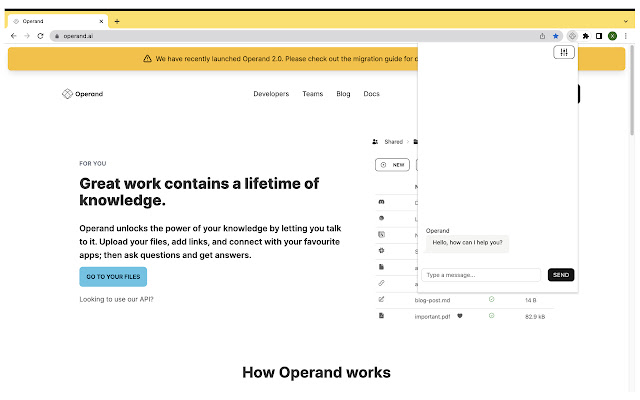
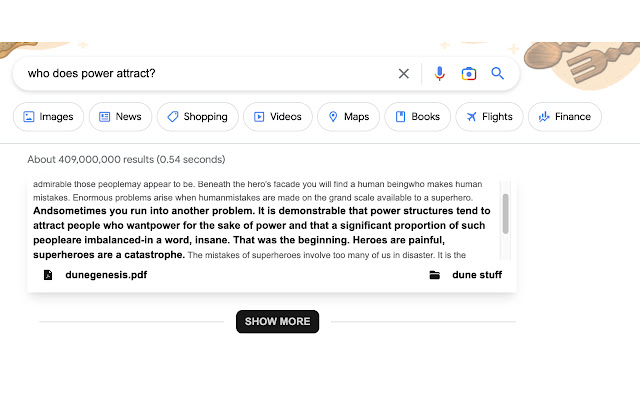
4. Chat with Operand in the browser and get search results from your knowledge directly in Google!

Note: Operand is currently in early-access so expect some bugs and other issues. Please feel free to reach out and/or join the discord if you need any help.

Source Code: https://github.com/operandinc/operand-chrome-extension
Informasi Dasar Ekstensi
| Nama |  Operand Operand |
| ID | fhbbjlniecmagcjeeaincjegkiipfakc |
| URL Resmi | https://chrome.google.com/webstore/detail/operand/fhbbjlniecmagcjeeaincjegkiipfakc |
| Deskripsi | Unlock your Knowledge! |
| Ukuran File | 3.79 MB |
| Jumlah Instalasi | 159 |
| Versi Saat Ini | 0.0.8 |
| Terakhir Diperbarui | 2023-03-24 |
| Tanggal Publikasi | 2022-11-29 |
| Penilaian | 5.00/5 Total 1 Penilaian |
| Pengembang | http://operand.ai |
| [email protected] | |
| Tipe Pembayaran | free |
| Situs Ekstensi | https://operand.ai |
| URL Halaman Bantuan | https://operand.ai/discord |
| URL Halaman Kebijakan Privasi | https://operand.ai/privacy |
| Bahasa yang Didukung | en |
| manifest.json | |
{
    "update_url": "https:\/\/clients2.google.com\/service\/update2\/crx",
    "description": "Unlock your Knowledge!",
    "version": "0.0.8",
    "name": "Operand",
    "manifest_version": 3,
    "icons": {
        "16": "16.png",
        "48": "48.png",
        "128": "128.png"
    },
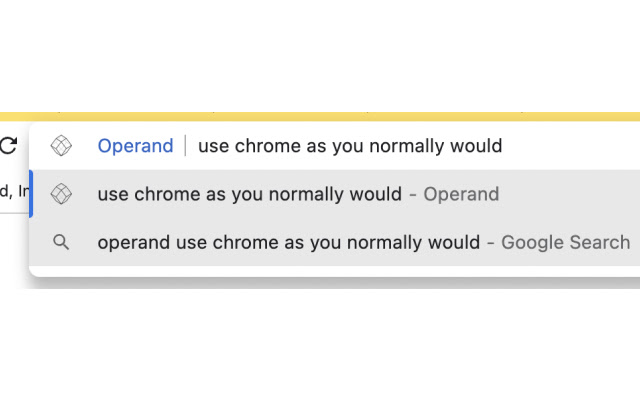
    "omnibox": {
        "keyword": "operand"
    },
    "action": {
        "default_popup": "popup.html",
        "default_title": "Chat with Operand"
    },
    "options_page": "options.html",
    "content_scripts": [
        {
            "matches": [
                "https:\/\/www.google.com\/search*"
            ],
            "js": [
                "contentScript.bundle.js"
            ],
            "css": [
                "content.styles.css"
            ],
            "run_at": "document_end"
        }
    ],
    "permissions": [
        "tabs",
        "storage"
    ],
    "background": {
        "service_worker": "background.bundle.js"
    }
} | |