Block Quora Login Popup
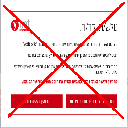
Automatically block the Quora login popup.
Apa itu Block Quora Login Popup?
Block Quora Login Popup adalah ekstensi Chrome yang dikembangkan oleh http://niftylettuce.com, dan fitur utamanya adalah "Automatically block the Quora login popup.".
Screenshot Ekstensi

Unduh Berkas CRX Ekstensi Block Quora Login Popup
Unduh file ekstensi Block Quora Login Popup dalam format crx, pasang ekstensi Chrome secara manual di peramban, atau bagikan file crx dengan teman untuk menginstal ekstensi Chrome dengan mudah.
Petunjuk Penggunaan Ekstensi
                        This extension automatically removes the annoying login popup at Quora.  If you'd like to still log in, simply click the "Log In" link at the top right of Quora's website.

Please submit any issues to our Github repository page.

Follow @niftylettuce on Twitter for updates.

*************
* CHANGELOG *
*************

0.0.5: fixed blocker to work with ?share=1, added Grunt to compress and reduce extension's package file size considerably

0.0.4: fixed bug for installer

0.0.3: removed jQuery, removal is much faster now, added ?ref=fb add in case you are not redirected from FB it will add/remove the popup and show all content for a hacky workaround

0.0.2: fixed a few bugs

0.0.1: initial release
Informasi Dasar Ekstensi
| Nama |  Block Quora Login Popup Block Quora Login Popup |
| ID | fkbnfnaikpdihahjljbigedkangbieih |
| URL Resmi | https://chrome.google.com/webstore/detail/block-quora-login-popup/fkbnfnaikpdihahjljbigedkangbieih |
| Deskripsi | Automatically block the Quora login popup. |
| Ukuran File | 11.63 KB |
| Jumlah Instalasi | 1,987 |
| Versi Saat Ini | 0.0.5 |
| Terakhir Diperbarui | 2014-05-09 |
| Tanggal Publikasi | 2014-05-09 |
| Penilaian | 3.60/5 Total 15 Penilaian |
| Pengembang | http://niftylettuce.com |
| Tipe Pembayaran | free |
| Situs Ekstensi | https://github.com/niftylettuce/block-quora-login-popup |
| URL Halaman Bantuan | https://github.com/niftylettuce/block-quora-login-popup/issues |
| Bahasa yang Didukung | en-US |
| manifest.json | |
{
    "name": "Block Quora Login Popup",
    "version": "0.0.5",
    "manifest_version": 2,
    "description": "Automatically block the Quora login popup.",
    "homepage_url": "https:\/\/github.com\/niftylettuce\/block-quora-login-popup",
    "icons": {
        "16": "icons\/icon16.png",
        "48": "icons\/icon48.png",
        "128": "icons\/icon128.png"
    },
    "browser_action": {
        "default_title": "Block Quora Login Popup",
        "default_icon": "icons\/icon19.png",
        "default_popup": "src\/popup.html"
    },
    "background": {
        "scripts": [
            "src\/bg\/background.js",
            "src\/bg\/google-analytics.js"
        ],
        "persistent": true
    },
    "update_url": "https:\/\/clients2.google.com\/service\/update2\/crx",
    "content_scripts": [
        {
            "matches": [
                "http:\/\/quora.com\/*",
                "https:\/\/quora.com\/*",
                "http:\/\/www.quora.com\/*",
                "https:\/\/www.quora.com\/*"
            ],
            "js": [
                "src\/inject\/inject.js"
            ]
        }
    ],
    "content_security_policy": "script-src 'self' https:\/\/ssl.google-analytics.com; object-src 'self'",
    "web_accessible_resources": [
        "icons\/icon48.png"
    ]
} | |