simpleClock
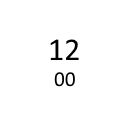
Shows a simple clock top right in the browser. The color is free selectable.
Apa itu simpleClock?
simpleClock adalah ekstensi Chrome yang dikembangkan oleh Stefan Dietz, dan fitur utamanya adalah "Shows a simple clock top right in the browser. The color is free selectable.".
Screenshot Ekstensi

Unduh Berkas CRX Ekstensi simpleClock
Unduh file ekstensi simpleClock dalam format crx, pasang ekstensi Chrome secara manual di peramban, atau bagikan file crx dengan teman untuk menginstal ekstensi Chrome dengan mudah.
Petunjuk Penggunaan Ekstensi
Shows a simple clock top right in the browser. You can choose between the mini-calendar and a URL that will open, when you click onto the clock. You can set the URL, the date-format for the tooltip and the color of the clock-letters on the options-page. Informasi Dasar Ekstensi
| Nama |  simpleClock simpleClock |
| ID | gdpdmdkjppdbhdbnkalaigilmdjkiine |
| URL Resmi | https://chrome.google.com/webstore/detail/simpleclock/gdpdmdkjppdbhdbnkalaigilmdjkiine |
| Deskripsi | Shows a simple clock top right in the browser. The color is free selectable. |
| Ukuran File | 133 KB |
| Jumlah Instalasi | 1,000 |
| Versi Saat Ini | 2.3 |
| Terakhir Diperbarui | 2021-08-31 |
| Tanggal Publikasi | 2013-01-05 |
| Penilaian | 4.57/5 Total 7 Penilaian |
| Pengembang | Stefan Dietz |
| [email protected] | |
| Tipe Pembayaran | free |
| URL Halaman Bantuan | https://github.com/sdvg/simpleClock_v2/issues |
| Bahasa yang Didukung | en |
| manifest.json | |
{
    "update_url": "https:\/\/clients2.google.com\/service\/update2\/crx",
    "name": "simpleClock",
    "version": "2.3",
    "manifest_version": 2,
    "permissions": [],
    "description": "Shows a simple clock top right in the browser. The color is free selectable.",
    "homepage_url": "https:\/\/github.com\/sdvg\/simpleClock_v2",
    "icons": {
        "16": "icons\/icon16.png",
        "48": "icons\/icon48.png",
        "128": "icons\/icon128.png"
    },
    "background": {
        "scripts": [
            "src\/lib\/dateformat.js",
            "src\/bg\/background.js"
        ],
        "persistent": true
    },
    "options_page": "src\/options\/index.html",
    "browser_action": {
        "default_icon": "icons\/icon19.png",
        "default_title": "",
        "default_popup": "src\/browser_action\/browser_action.html"
    }
} | |