Picture in Picture for Your Browser
Picture in Picture supports the video player on Youtube, Twitch, Mixer, Facebook and many other platforms and sites.
Apa itu Picture in Picture for Your Browser?
Picture in Picture for Your Browser adalah ekstensi Chrome yang dikembangkan oleh http://pip-browser.com, dan fitur utamanya adalah "Picture in Picture supports the video player on Youtube, Twitch, Mixer, Facebook and many other platforms and sites.".
Screenshot Ekstensi
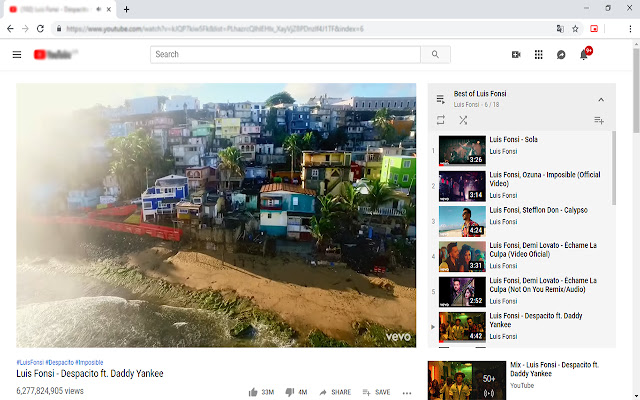


Unduh Berkas CRX Ekstensi Picture in Picture for Your Browser
Unduh file ekstensi Picture in Picture for Your Browser dalam format crx, pasang ekstensi Chrome secara manual di peramban, atau bagikan file crx dengan teman untuk menginstal ekstensi Chrome dengan mudah.
Petunjuk Penggunaan Ekstensi
                        Picture in Picture allows you to watch videos in a floating window (always on top of other windows) so you can keep track of what you are watching while interacting with other sites or applications.

Open the YouTube video on the mini player in floating image-in-picture (PIP) mode. Supports video player on Youtube, Twitch, Mixer, Facebook and many other platforms and sites.

Click on the extension icon to reduce the video player on YouTube and other sites. This window will play videos on all pages of the browser.

How Picture in Picture works:

1. Find the video and run it.
2. Click the extension icon to reduce the video player on YouTube and other sites.
3. Select the “Floating Picture in Picture” (PIP) mode, and you're done.

There is one thing worth noting: while you can freely browse other sites while playing a video in a pop-up window, you should keep the original tab open. Floating picture in picture is a powerful tool for watching videos on a mini-video player for all sites.

The Picture in Picture floating panel is a lightweight addon that gives you access to videos on the entire site with one click.

Note 1: A floating panel for all is an extension that is developed and maintained independently.

Note 2: A floating panel for everyone simply makes it easier to access PIP videos for all video sites.

Floating Picture in Picture (PIP) for YouTube ™ respects your privacy.

P.S.:YouTube is a trademark of Google Inc. Use of this trademark is subject to Google permissions.
The floating image mode in Picture mode (PIP) for YouTube ™ is not created, is not associated with Google Inc. or not supported.
Informasi Dasar Ekstensi
| Nama |  Picture in Picture for Your Browser Picture in Picture for Your Browser |
| ID | gffbkijcnmfpkknjhfcncgfdfdljoflf |
| URL Resmi | https://chrome.google.com/webstore/detail/picture-in-picture-for-yo/gffbkijcnmfpkknjhfcncgfdfdljoflf |
| Deskripsi | Picture in Picture supports the video player on Youtube, Twitch, Mixer, Facebook and many other platforms and sites. |
| Ukuran File | 33.74 KB |
| Jumlah Instalasi | 16,091 |
| Versi Saat Ini | 1.3 |
| Terakhir Diperbarui | 2020-01-05 |
| Tanggal Publikasi | 2019-12-27 |
| Penilaian | 2.95/5 Total 43 Penilaian |
| Pengembang | http://pip-browser.com |
| [email protected] | |
| Tipe Pembayaran | free |
| URL Halaman Kebijakan Privasi | https://docs.google.com/document/d/e/2PACX-1vTDg4MjAc8KBNtV_J2u81BTH_kz-xeVGHVNK2N9db0WAqd7ePKAcUk7xUEcms6lvBohMxAzqCS23XGH/pub |
| Bahasa yang Didukung | en |
| manifest.json | |
{
    "update_url": "https:\/\/clients2.google.com\/service\/update2\/crx",
    "manifest_version": 2,
    "name": "__MSG_appName__",
    "description": "__MSG_appDesc__",
    "default_locale": "en",
    "version": "1.3",
    "icons": {
        "64": "64.png",
        "128": "128.png"
    },
    "browser_action": {
        "default_title": "__MSG_appName__",
        "default_icon": {
            "64": "64.png",
            "128": "128.png"
        }
    },
    "web_accessible_resources": [
        "*"
    ],
    "background": {
        "scripts": [
            "background.js"
        ]
    },
    "offline_enabled": true,
    "content_security_policy": "script-src 'self' https:\/\/ssl.google-analytics.com; object-src 'self'"
} | |