SmartSearch
Quickly search a page for a word and its synonyms.
Apa itu SmartSearch?
SmartSearch adalah ekstensi Chrome yang dikembangkan oleh Rohan Khajuria, dan fitur utamanya adalah "Quickly search a page for a word and its synonyms.".
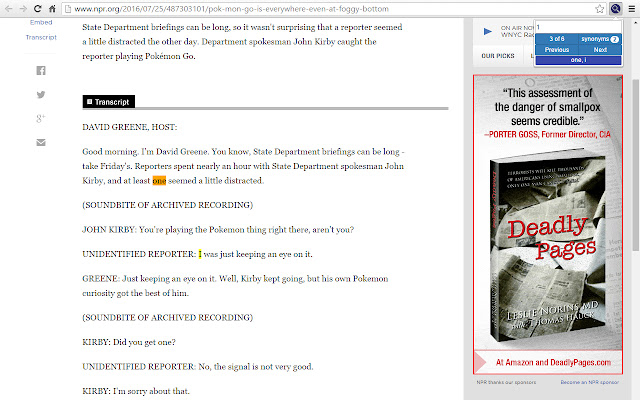
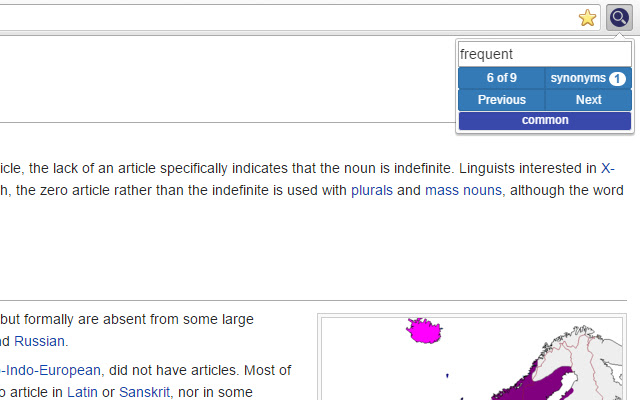
Screenshot Ekstensi

Unduh Berkas CRX Ekstensi SmartSearch
Unduh file ekstensi SmartSearch dalam format crx, pasang ekstensi Chrome secara manual di peramban, atau bagikan file crx dengan teman untuk menginstal ekstensi Chrome dengan mudah.
Petunjuk Penggunaan Ekstensi
                        Searching a page for a topic but just can't seem to find it? SmartSearch is an extension that allows you to search a page not only for a word, but for its synonyms as well.

SmartSearch has an options page that allows you to customize your search functionality. To access the options page, enter "chrome://extensions" into your address bar, find SmartSearch, and click on "options".

Usage Instructions:
• Use the shortcut CTRL+SHIFT+F or click on the extension icon to toggle the search box.
• To search, type in your search query and press enter, the next button, or the previous button.
• Click the counter button (top left) to reset your search iteration to the first term.
• Click the synonyms button (top right) to display a list of the synonyms found on the page.
• Waiting until a page is loaded to search will yield the best results.

On First Installation:
• Visit the option page (see above) to select search functionality.
• Any pages that were open before installation will have to be reloaded to be searched.

Feel free to report any bugs, recommend any features, or ask any questions!
Informasi Dasar Ekstensi
| Nama |  SmartSearch SmartSearch |
| ID | ggiildmoenlcfobcebgaaofpogcdbpge |
| URL Resmi | https://chrome.google.com/webstore/detail/smartsearch/ggiildmoenlcfobcebgaaofpogcdbpge |
| Deskripsi | Quickly search a page for a word and its synonyms. |
| Ukuran File | 3.4 MB |
| Jumlah Instalasi | 18 |
| Versi Saat Ini | 0.4.2 |
| Terakhir Diperbarui | 2016-07-27 |
| Tanggal Publikasi | 2016-07-27 |
| Pengembang | Rohan Khajuria |
| Tipe Pembayaran | free |
| Bahasa yang Didukung | en |
| manifest.json | |
{
"update_url": "https:\/\/clients2.google.com\/service\/update2\/crx",
"manifest_version": 2,
"name": "SmartSearch",
"description": "Quickly search a page for a word and its synonyms.",
"version": "0.4.2",
"content_scripts": [
{
"matches": [
" | |